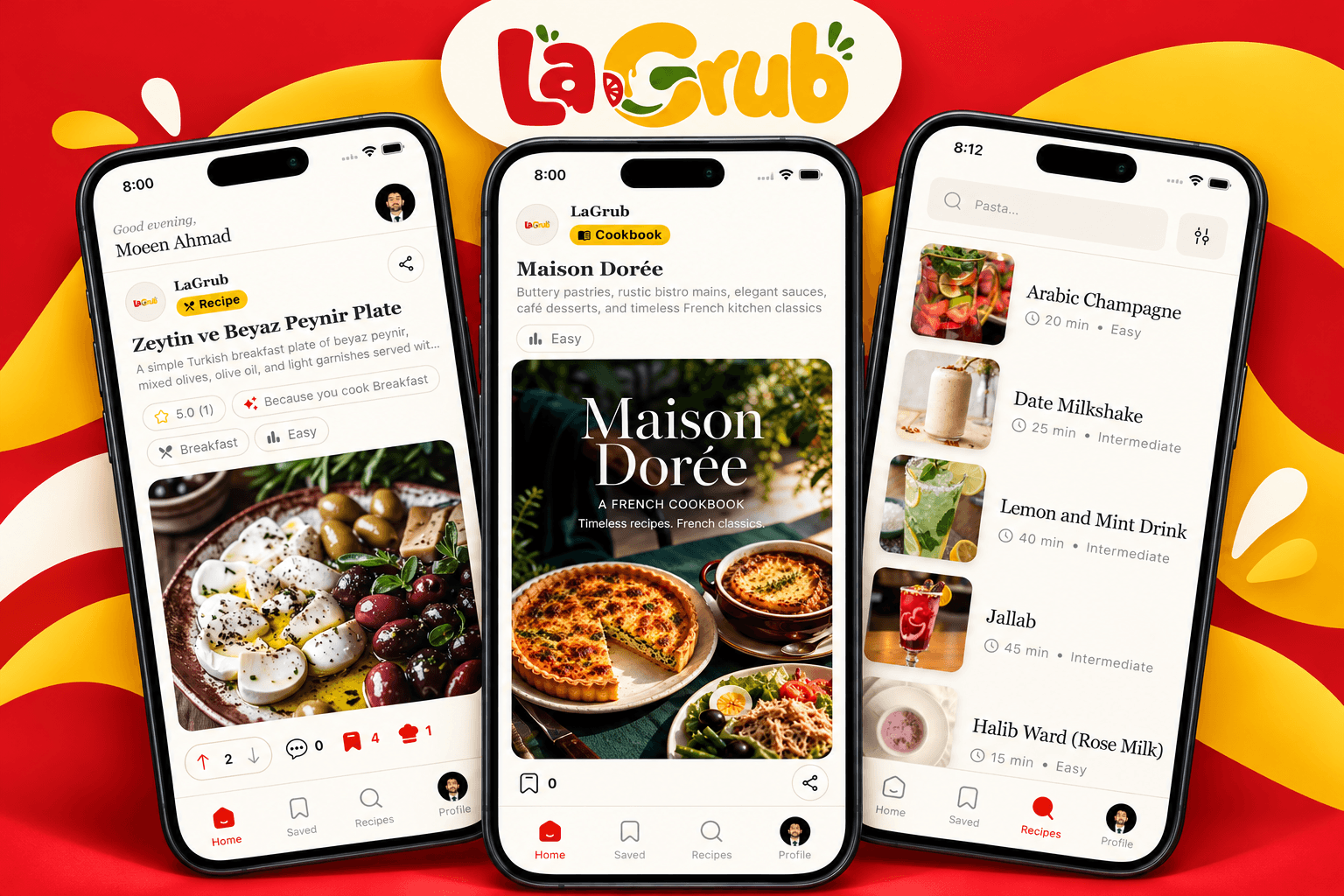
The product and the problem
LaGrub gives home cooks a place to browse recipes, discover cookbooks, and return to saved meals. The engineering challenge is to keep that experience coherent while managing authentication, premium access, changing content, and offline recipe availability.
I led mobile development across UI direction, backend integration, testing, CI/CD, and releases, while guiding interns working on UI tasks. The phone experience was the delivery priority, with selected tablet foundations left for a later stage.
Original product screens
How the experience works
Discover a recipe or browse a cookbook
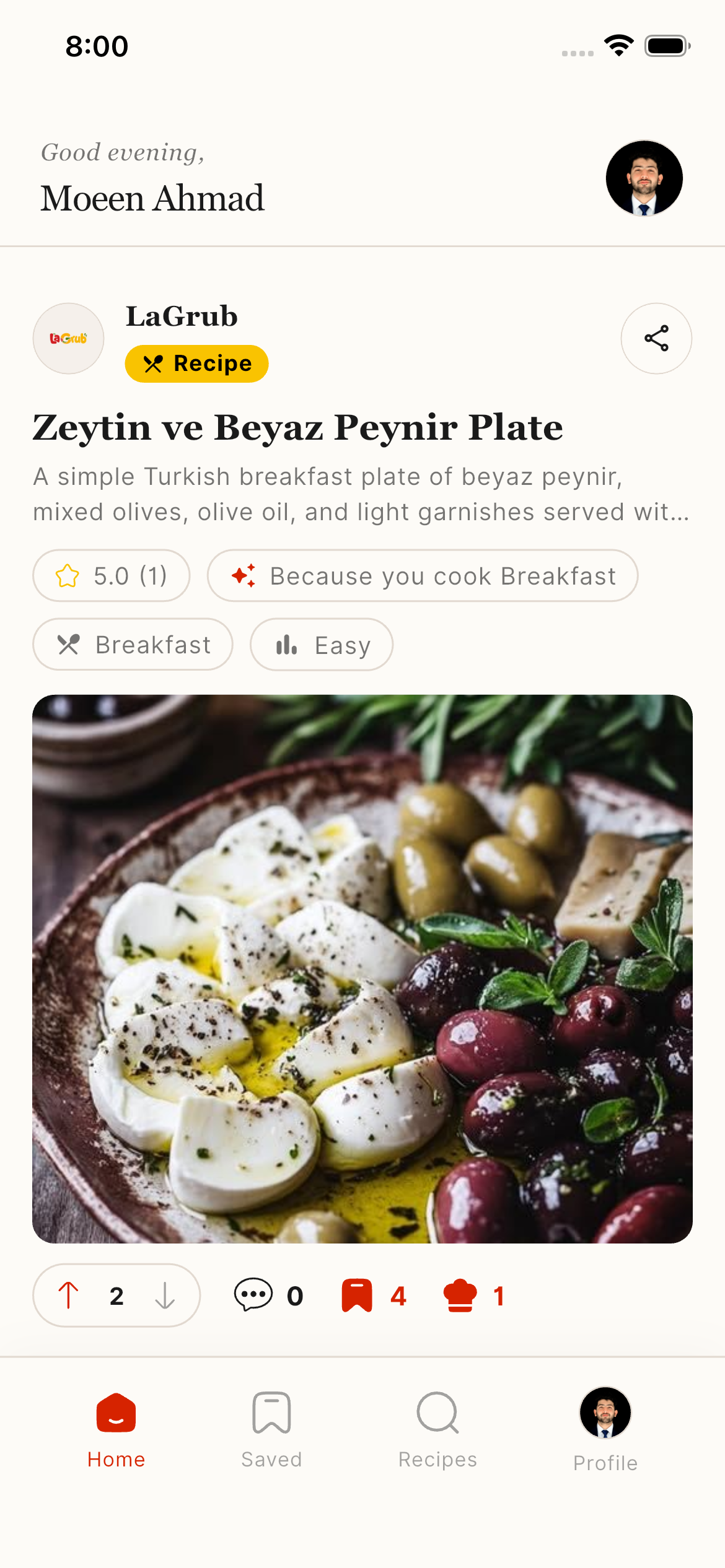
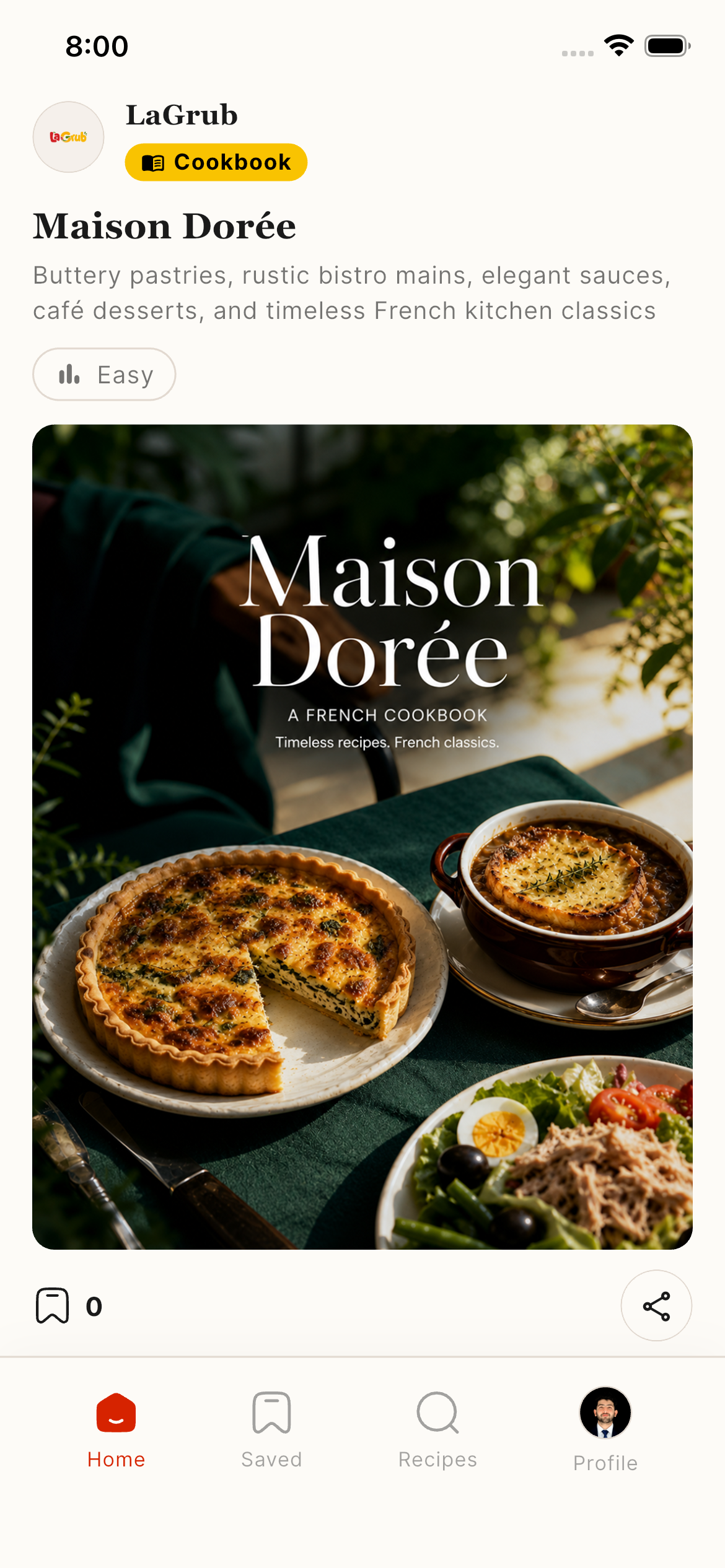
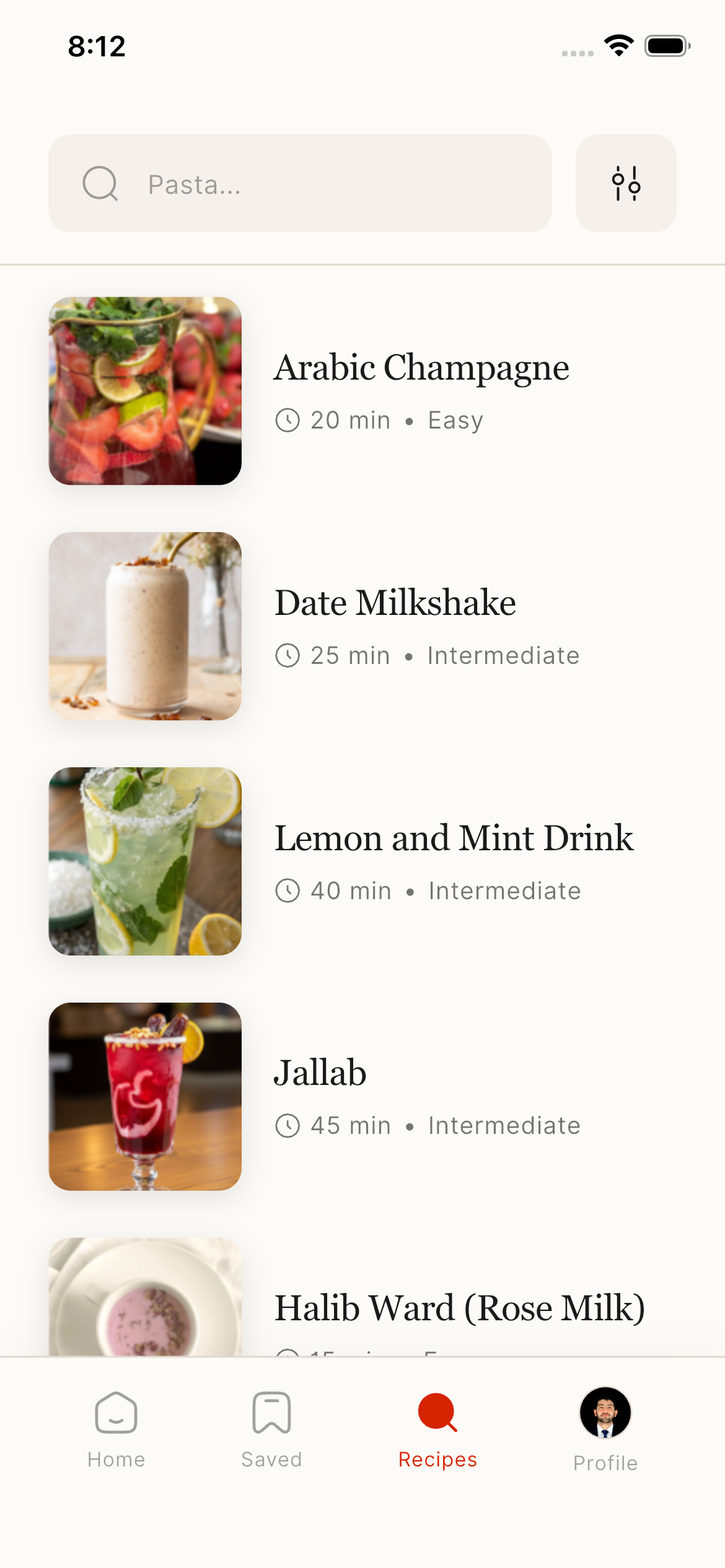
LaGrub supports two closely related reading experiences: discovering individual recipes and exploring curated cookbooks. The home and search areas bring together content, categories, filters, and paginated results. A reader can move from a food image to details without losing the surrounding product structure. This creates several engineering responsibilities behind a simple browsing experience, including route state, loading states, API responses, and reusable content models.
Return to saved and cooked content
The Saved area brings recipes, cookbooks, and cooked items into separate inner tabs. This groups the material a person wants to revisit around one destination while retaining the distinction between a collection, a recipe, and a record of cooking it. Recipe interactions include saving, cooking, rating, and commenting. Those actions need a consistent relationship with the authenticated session and the content shown elsewhere in the app.
Use premium and downloaded content
The product also includes free and premium access, native subscriptions, and offline recipe downloads. A useful journey therefore continues beyond opening a paywall: a person needs their access state represented consistently as they navigate, return to the app, or read downloaded material. The case study covers these documented phone features and their integrations, with tablet expansion treated as a separate delivery scope.
My contribution
- Led Flutter implementation and coordinated UI work with interns.
- Structured features into presentation, domain, and data layers using Provider, GetIt, GoRouter, and Dio.
- Integrated authentication, the Node.js API, saved content, offline recipes, and native purchases.
- Coordinated testing, release builds, push-notification configuration, and ongoing delivery.
Architecture and implementation
Feature boundaries that match the product
I organized the mobile implementation around features such as authentication, home browsing, search, saved content, subscriptions, and navigation. Each feature separates presentation, domain, and data responsibilities. Screens and Provider state holders drive the visible experience; use cases and repository contracts describe operations; data sources and models handle storage and API responses.
The resulting flow runs from UI to Provider, use case, repository, data source, and the shared Dio client. The domain layer stays independent of Flutter widgets and network response details. That structure was useful for coordinating UI work with interns: a screen could evolve within a recognizable feature boundary while the networking and business contracts remained explicit.
Shared services for sessions and navigation
GetIt supplies registered services and feature dependencies. GoRouter manages navigation and route guards. The authentication feature connects Google Sign-In and Sign in with Apple to backend JWT sessions, with tokens stored through Flutter Secure Storage. Requests share a centralized Dio interceptor pipeline rather than each screen managing authorization independently.
The documented authorization flow injects the current bearer token, refreshes it proactively, retries an unauthorized request with a fresh token, and clears the session when refresh fails. That places a recurring lifecycle problem in one part of the app. My role here was mobile delivery and integration with the Node.js REST API; the case study keeps that responsibility distinct from authorship of the entire backend.
A consistent design system across appearance modes
The app uses its own cream, red, and yellow visual identity, with separate neutral tokens for light and dark appearance. A ThemeExtension supplies context-aware colours, and the theme provider starts with the device setting before persisting a user’s explicit choice. This makes appearance a shared system responsibility across screens.
Phone and tablet layouts share business logic but use different navigation and screen implementations. The documented release has complete phone layouts, while selected tablet entry and navigation screens form foundations for later expansion. A responsive route choice therefore does not imply that every tablet destination was completed.
Key engineering decisions
Keep feature boundaries explicit
I used feature-first boundaries to keep recipe, saved-content, authentication, and subscription concerns separate. Presentation state calls domain operations, while data sources and networking stay behind repository contracts.
Treat purchases as an entitlement flow
The app uses native in-app purchases with backend verification. Purchase state belongs to a coordinated client/backend entitlement flow, rather than a local paywall flag.
Separate phone delivery from tablet expansion
Phone layouts were the completed delivery scope in this version. Several tablet shells were implemented, while the remaining tablet screens were left for a later release.
Challenges and trade-offs
Keep a content action consistent across destinations
A save or subscription change can affect more than the screen on which it starts. A recipe may appear in discovery, search, a cookbook, and the Saved area. The engineering task is to keep those views connected through the same operation and state boundaries, while allowing each screen to present its own loading or error state.
This is why the feature structure and repository contracts matter to the product story. They provide places to coordinate content changes without embedding the complete API workflow inside a widget. The saved/cooked organization also gives the reader a clear place to return after interacting with a recipe.
Connect premium access to the store and backend
Native purchases introduce a platform lifecycle alongside the app’s own account lifecycle. LaGrub uses the in_app_purchase integration with custom backend verification. The useful engineering boundary is the entitlement flow: the store transaction and the backend’s access decision need to reach the mobile product consistently.
The documentation establishes those integrations, while store cancellation, restoration, delayed purchase state, and account changes remain important version-specific review scenarios. This story does not invent a purchase success rate or imply that a screenshot proves every store edge case.
Validation and delivery considerations
Review complete phone journeys
My delivery responsibilities included testing coordination, CI/CD, release builds, and the mobile/backend integration. The useful review unit is a complete journey: authenticate, browse, open a recipe, interact with it, return to saved content, and revisit it after the app’s state changes. Appearance review also needs the same destinations in light and dark modes.
Offline downloads and premium access add further transitions to that review. A downloaded view, an unavailable connection, and a refreshed session should be assessed as distinct states. The case study describes those responsibilities without presenting an unprovided test log as a passed automated suite.
Include native release configuration in delivery
The project records Android signing configuration and iOS push-notification setup through APNs and Firebase Cloud Messaging. These are part of making the product usable outside a development session. They connect Flutter work to platform capabilities, permissions, release builds, and the environment used by the app.
The public iPhone listing supplies a product reference, while the original simulator captures show the version described in this story. Keeping that version boundary visible lets a reader assess the actual mobile contribution alongside later changes to the published product.
What was delivered
A mobile recipe and cookbook experience with saved collections, recipe interactions, offline downloads, authentication, notifications, light/dark themes, and native premium access. A public iPhone listing provides an external product reference.
View on the App StoreProject scope
- Product
- Recipe and cookbook mobile app with a public iPhone App Store listing.
- Visuals
- Original simulator captures of recipe discovery, cookbook details, and search.
- Scope
- Flutter phone delivery, backend integration, premium access, testing coordination, and release work.
This story covers the phone implementation shown in these simulator captures. Selected tablet foundations were separate from completed phone delivery. Later store versions may include additional features; no revenue, retention, or download improvement is inferred from the product listing.
Key takeaways
- A recipe product combines content browsing with account, access, storage, and platform lifecycle responsibilities.
- Feature-first boundaries and shared session handling support coordinated delivery across screens and contributors.
- Phone completion, tablet foundations, and later store features are separate pieces of scope with their own evidence.