Introduction
The digital economy across the Gulf Cooperation Council (GCC) is experiencing an unprecedented surge. Propelled by Saudi Arabia's Vision 2030, Riyadh has emerged as a premier technology and venture capital epicenter in the Middle East. Simultaneously, digital transformation initiatives across Oman, the United Arab Emirates, Qatar, Kuwait, and Bahrain have created immense demand for enterprise-grade mobile software. Sovereign wealth funds, fintech startups, retail giants, and logistics conglomerates are modernizing their customer-facing and internal operational platforms at breakneck speed.
However, delivering consumer and enterprise mobile applications for the Gulf market requires far more than wrapping an English application with machine-translated strings. Arabic is a rich, morphological, right-to-left (RTL) language with distinct typographic baselines, intricate ligatures, and contextual glyph variations. Furthermore, user behavioral patterns, payment methods, network conditions, and device usage profiles in Riyadh, Jeddah, and Muscat differ significantly from Western markets.
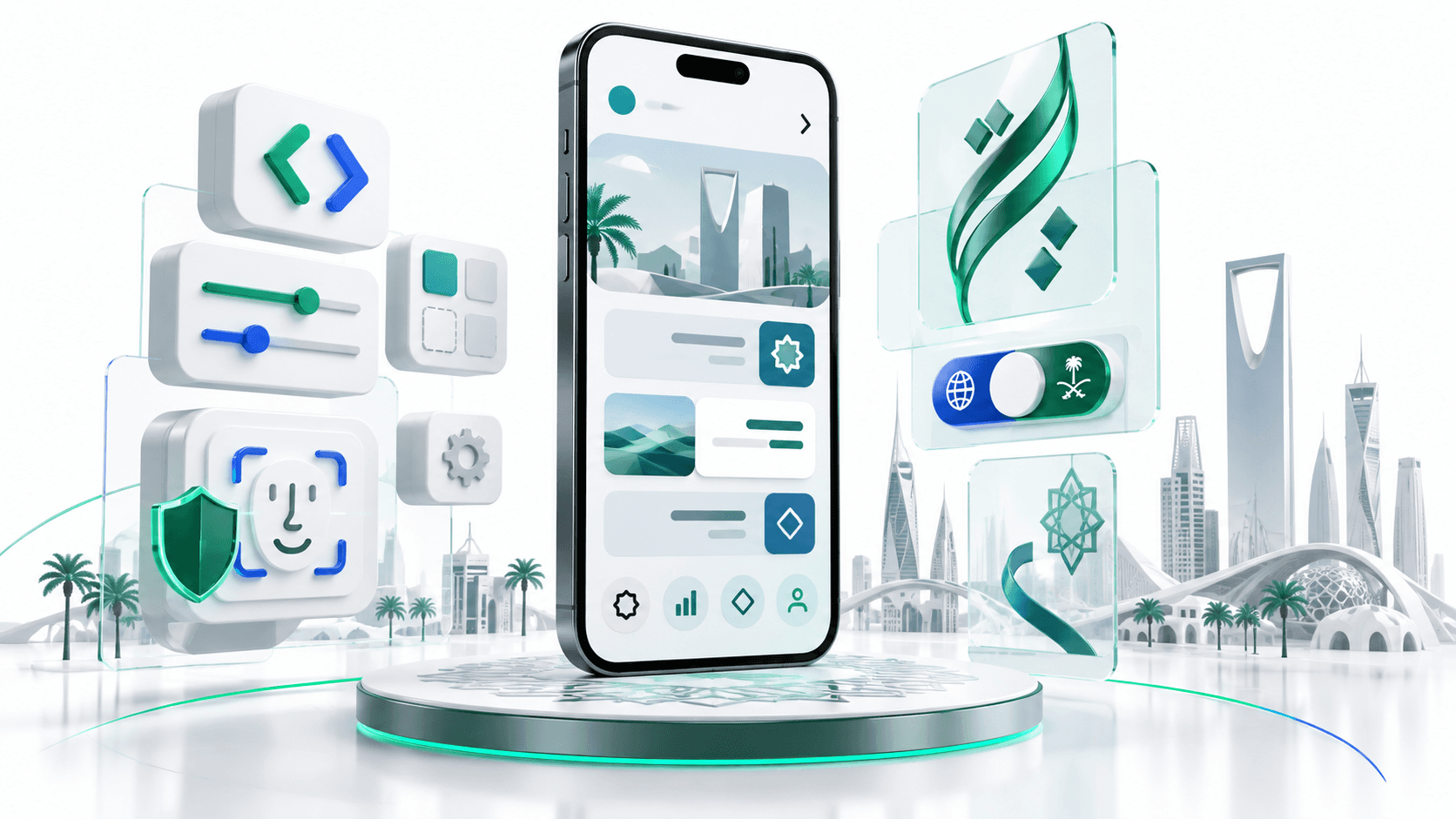
When I architected and built BeesApp, a production rewards and loyalty application serving users and retail merchants across Saudi Arabia, we faced these nuances firsthand. The app required seamless bilingual switching between Arabic and English, native Face ID authentication, instant QR and NFC redemption at merchant terminals, and rock-solid performance across hundreds of diverse Android and iOS hardware configurations.
In this comprehensive engineering guide, I will dissect the complete architectural blueprint for building high-performance, enterprise-grade Flutter applications specifically optimized for Saudi Arabia and the GCC region.
The Gulf Mobile Ecosystem: Beyond Simple Translation
Many software engineering teams treat internationalization (i18n) as an afterthought: an external translation vendor provides a spreadsheet of translated strings, the team drops them into an .arb file, and they consider the job done. In the GCC market, this approach consistently produces broken layouts, severed typography, unreadable numbers, and frustrated users who immediately abandon the app.
True regional engineering requires understanding how visual hierarchy, spatial orientation, and user habits transform when crossing linguistic borders.
| Architectural Dimension | Western Mobile Expectations (LTR) | GCC & Saudi Mobile Expectations (RTL) |
|---|---|---|
| Reading & Visual Hierarchy | Left-to-Right scanning: Top-left branding, right-hand forward navigation. | Right-to-Left scanning: Top-right branding, left-hand forward navigation. |
| Back Navigation & Gestures | Edge-swipe from left screen bezel; arrow pointing left (<-). | Edge-swipe from right screen bezel; arrow pointing right (->). |
| Typography & Glyphs | Standard horizontal metrics, predictable ascender and descender heights. | Extended diacritics (tashkeel), tall ascenders (alif, lam), deep descenders (yaa, raa). |
| Numeric Systems | Standard Latin digits (0, 1, 2, 3, 4, 5, 6, 7, 8, 9). | Context-dependent: Western digits for banking/fintech, Eastern Arabic numerals (٠, ١, ٢) for literary text. |
| Icon Semantics | Symmetrical or rightward bias for action indicators. | Directional icons must mirror; universal symbols (audio, time, checkmarks) must remain fixed. |
| Primary Auth Patterns | Email/Password, Social Sign-In (Google, Apple). | Mobile Phone OTP (STC, Mobily, Zain, Omantel), National Single Sign-On (Nafath in KSA), Biometrics. |
| Payment Landscape | Credit Cards, Apple Pay, Google Pay, PayPal. | Mada Debit Cards, Apple Pay (dominant on iOS), STC Pay, Urpay, Tabby/Tamara (BNPL). |
Building an app that feels organic to a native Arabic speaker requires embedding bidirectional awareness into every level of your widget tree, state management, and design system.
Bidirectional Architecture and the Directionality Tree in Flutter
Flutter is uniquely positioned for building RTL applications because its rendering pipeline was designed from the ground up with bidirectional layouts in mind. Unlike native Android XML or iOS UIKit where directional constraints were retrofitted over historical left-to-right primitives, Flutter uses abstract geometric coordinates that adapt dynamically to the active TextDirection.
How Directionality Propagates
In Flutter, layout direction is governed by the Directionality widget. When you wrap your application in MaterialApp and configure regional localizations, Flutter injects a top-level Directionality widget into the element tree:
┌─────────────────────────────────────────────────────────┐
│                       MaterialApp                       │
│  - supportedLocales: [Locale('ar'), Locale('en')]       │
│  - localizationsDelegates: GlobalMaterialLocalizations  │
└────────────────────────────┬────────────────────────────┘
                             │
                             ▼
┌─────────────────────────────────────────────────────────┐
│                  Directionality Provider                │
│  - TextDirection.rtl (for Arabic)                       │
│  - TextDirection.ltr (for English)                      │
└────────────────────────────┬────────────────────────────┘
                             │
            ┌────────────────┴────────────────┐
            ▼                                 ▼
┌───────────────────────────────┐ ┌───────────────────────────────┐
│     Directional Widgets       │ │   Hardcoded Absolute Widgets  │
│  - EdgeInsetsDirectional      │ │  - EdgeInsets.only(left: 16)  │
│  - AlignmentDirectional       │ │  - Positioned(left: 10)       │
│  - BorderRadiusDirectional    │ │  - Row(children: [A, B])      │
│  (Adapts automatically)       │ │  (BROKEN in RTL: stays left)  │
└───────────────────────────────┘ └───────────────────────────────┘
When TextDirection.rtl is active:
startevaluates to the right edge of the display.endevaluates to the left edge of the display.- Horizontal flex containers (
Row) lay their children out starting from the right and advancing toward the left.
The Golden Rule: Eliminate Hardcoded Coordinate Primitives
The most prevalent bug in multilingual Flutter apps is mixing directional primitives with absolute physical coordinates. To maintain flawless bidirectional consistency, enforce these design system substitutions across your codebase:
- Replace
EdgeInsets.only(left: 16)withEdgeInsetsDirectional.only(start: 16) - Replace
EdgeInsets.fromLTRB(16, 8, 24, 8)withEdgeInsetsDirectional.fromSTEB(16, 8, 24, 8) - Replace
Alignment.topLeftwithAlignmentDirectional.topStart - Replace
Alignment.centerRightwithAlignmentDirectional.centerEnd - Replace
BorderRadius.only(topLeft: Radius.circular(8))withBorderRadiusDirectional.only(topStart: Radius.circular(8)) - Replace
Positioned(left: 12, ...)inside aStackwithPositionedDirectional(start: 12, ...)
Production Locale State Management
In an enterprise app like BeesApp, users must be able to switch between Arabic and English instantly from the profile settings without forcing an app restart, losing form states, or reloading remote API caches.
Here is an architectural implementation using modern state management (Riverpod) that persists the chosen locale in encrypted local storage (shared_preferences or flutter_secure_storage) and smoothly rebuilds the widget hierarchy:
import 'package:flutter/material.dart';
import 'package:flutter_riverpod/flutter_riverpod.dart';
import 'package:shared_preferences/shared_preferences.dart';

/// Supported Locales in GCC Enterprise Applications
class AppLocales {
  static const Locale arabic = Locale('ar', 'SA');
  static const Locale english = Locale('en', 'US');

  static const List<Locale> supported = [arabic, english];
}

/// Locale Notifier for instant, persistent language toggling
class LocaleNotifier extends StateNotifier<Locale> {
  static const String _prefsKey = 'selected_user_locale';
  final SharedPreferences _prefs;

  LocaleNotifier(this._prefs) : super(_loadInitialLocale(_prefs));

  static Locale _loadInitialLocale(SharedPreferences prefs) {
    final savedCode = prefs.getString(_prefsKey);
    if (savedCode != null) {
      return savedCode == 'ar' ? AppLocales.arabic : AppLocales.english;
    }
    // Default to Arabic for Saudi and GCC storefront distributions
    return AppLocales.arabic;
  }

  Future<void> setLocale(Locale newLocale) async {
    if (state == newLocale) return;
    state = newLocale;
    await _prefs.setString(_prefsKey, newLocale.languageCode);
  }

  Future<void> toggleLocale() async {
    final next = state.languageCode == 'ar' ? AppLocales.english : AppLocales.arabic;
    await setLocale(next);
  }

  bool get isArabic => state.languageCode == 'ar';
}

final localeProvider = StateNotifierProvider<LocaleNotifier, Locale>((ref) {
  throw UnimplementedError('Initialize shared_preferences in main()');
});
At the application root (main.dart), wire the provider into MaterialApp:
class GCCEnterpriseApp extends ConsumerWidget {
  const GCCEnterpriseApp({super.key});

  @override
  Widget build(BuildContext context, WidgetRef ref) {
    final currentLocale = ref.watch(localeProvider);

    return MaterialApp(
      title: 'BeesApp Rewards',
      debugShowCheckedModeBanner: false,
      locale: currentLocale,
      supportedLocales: AppLocales.supported,
      localizationsDelegates: const [
        AppLocalizations.delegate,
        GlobalMaterialLocalizations.delegate,
        GlobalWidgetsLocalizations.delegate,
        GlobalCupertinoLocalizations.delegate,
      ],
      theme: AppTheme.lightTheme(currentLocale),
      home: const DashboardScreen(),
    );
  }
}
Solving the Arabic Typography Dilemma in Flutter
Typography is where standard Flutter implementations most frequently break down in the Arabic language. Arabic typography has distinct structural characteristics that clash with the default vertical metric calculations of modern digital layout engines:
- Tall Vertical Bounds: Characters like Alif (
ا), Lam (ل), and compound ligatures like Lam-Alif (لا) reach much higher than Latin capital letters. - Deep Descenders: Characters like Yaa (
ي), Raa (ر), and Zay (ز) plunge significantly below the baseline. - Diacritical Marks (Tashkeel): Vowel marks (Fathah, Dammah, Kasrah, Shaddah, Sukun) sit stacked above and below letter glyphs, expanding the required bounding box.
The Vertical Font Clipping Bug
When rendering Arabic strings inside Flutter widgets that have fixed line heights or constrained bounding boxes (such as AppBar titles, ElevatedButton labels, or small notification badges), Flutter's Skia and Impeller text painters often clip the top of the Alif or the bottom of the Yaa:
Problem: Vertical Font Clipping in Standard Flutter Container
┌──────────────────────────────────────┐
│  [  لَا إِلٰهَ إِلَّا اللهُ  ]   ◄── Top of Lam-Alif clipped
│                                      by tight text box!
└──────────────────────────────────────┘

Solution: Explicit TextLeadingDistribution and Metric Padding
┌──────────────────────────────────────┐
│                                      │
│     لَا إِلٰهَ إِلَّا اللهُ          │   ◄── Full vertical bounds
│                                      │       preserved with even leading
└──────────────────────────────────────┘
Curating the Right Arabic Typefaces
Never rely on the device's system fallback font. Android typically falls back to Noto Sans Arabic (which varies substantially across vendor skins like Samsung OneUI and Xiaomi MIUI), while iOS uses Geeza Pro or San Francisco Arabic. This creates visual inconsistencies between your iOS and Android user experiences.
For enterprise and high-end consumer applications in the GCC, choose from these battle-tested, professionally cut Arabic typefaces:
- Cairo: Modern, geometric, slightly playful. Ideal for lifestyle, retail, food delivery, and loyalty applications like BeesApp.
- IBM Plex Sans Arabic: Clean, corporate, hyper-legible at small point sizes. Superb for enterprise dashboards, B2B tools, and logistics platforms like Apaale.
- Tajawal: Balanced contemporary geometric font with soft curves. Very popular in Saudi government, fintech, and banking applications.
- Almarai: Clean, highly readable geometric Arabic font optimized specifically for high-density mobile displays.
The Safe Arabic Typography Theme Solution
To prevent font clipping across your entire application without manually tweaking vertical padding on thousands of individual Text widgets, establish global typography overrides in your ThemeData.
Crucially, configure textLeadingDistribution: TextLeadingDistribution.even and specify a proportional line height (typically between 1.3 and 1.5 for Arabic, compared to 1.1 to 1.2 for Latin):
class AppTheme {
  static ThemeData lightTheme(Locale locale) {
    final isArabic = locale.languageCode == 'ar';
    final fontFamily = isArabic ? 'Cairo' : 'Poppins';

    final textTheme = TextTheme(
      displayLarge: TextStyle(
        fontFamily: fontFamily,
        fontSize: 32,
        fontWeight: FontWeight.bold,
        height: isArabic ? 1.4 : 1.2,
        textLeadingDistribution: TextLeadingDistribution.even,
        color: const Color(0xFF111827),
      ),
      titleMedium: TextStyle(
        fontFamily: fontFamily,
        fontSize: 16,
        fontWeight: FontWeight.w600,
        height: isArabic ? 1.45 : 1.25,
        textLeadingDistribution: TextLeadingDistribution.even,
        color: const Color(0xFF1F2937),
      ),
      bodyMedium: TextStyle(
        fontFamily: fontFamily,
        fontSize: 14,
        fontWeight: FontWeight.normal,
        height: isArabic ? 1.5 : 1.3,
        textLeadingDistribution: TextLeadingDistribution.even,
        color: const Color(0xFF4B5563),
      ),
    );

    return ThemeData(
      useMaterial3: true,
      fontFamily: fontFamily,
      textTheme: textTheme,
      colorScheme: ColorScheme.fromSeed(
        seedColor: const Color(0xFF0D9488), // Regional emerald/teal accent
        primary: const Color(0xFF0D9488),
      ),
    );
  }
}
Reusable SafeArabicText Widget
For custom badges, tight table cells, or high-density lists where line heights are constrained, use this specialized wrapper widget that dynamically computes vertical safe boundaries:
class SafeArabicText extends StatelessWidget {
  final String text;
  final TextStyle? style;
  final TextAlign? textAlign;
  final int? maxLines;
  final TextOverflow? overflow;

  const SafeArabicText(
    this.text, {
    super.key,
    this.style,
    this.textAlign,
    this.maxLines,
    this.overflow,
  });

  @override
  Widget build(BuildContext context) {
    final isArabic = Directionality.of(context) == TextDirection.rtl;
    final baseStyle = style ?? DefaultTextStyle.of(context).style;

    // Apply safe height metrics if rendering Arabic glyphs
    final adjustedStyle = isArabic
        ? baseStyle.copyWith(
            height: baseStyle.height ?? 1.45,
            textLeadingDistribution: TextLeadingDistribution.even,
          )
        : baseStyle;

    return Text(
      text,
      style: adjustedStyle,
      textAlign: textAlign,
      maxLines: maxLines,
      overflow: overflow,
    );
  }
}
The Icon Mirroring Matrix: What to Flip and What NEVER to Flip
One of the quickest ways to reveal amateur mobile localization is the blanket inversion of icons. Developers discover the Transform.scale(scaleX: -1) trick or use matchTextDirection: true on all assets, inadvertently flipping symbols that are universal or culturally fixed.
In Arabic RTL design, icons fall into three distinct semantic categories:
┌────────────────────────────────────────────────────────────────────────┐
│                        The Icon Mirroring Matrix                       │
├───────────────────────┬────────────────────────┬───────────────────────┤
│  1. MUST Mirror (RTL) │ 2. NEVER Mirror (Fixed)│  3. Context Dependent │
├───────────────────────┼────────────────────────┼───────────────────────┤
│ - Back/Forward arrows │ - Media playback icons │ - Vehicles & Planes   │
│ - Chevron navigators  │   (Play, Pause, Stop)  │   (Flip if motion     │
│ - Sliders and scrubbers│ - Search magnifying glass│ conveys 'forward',  │
│ - Chat speech bubbles │ - Clocks and timers    │   keep if branding)   │
│ - Bullet points / lists│ - Checkmarks & crosses │ - Document badges     │
│ - Drawer hamburger menu│ - Currency & bank cards│   (Flip alignment,   │
│   (if side-aligned)   │ - Volume / speaker icons│   keep text readable) │
└───────────────────────┴────────────────────────┴───────────────────────┘
Detailed Breakdown of Icon Mirroring Rules
-
Directional & Progress Indicators (MUST MIRROR):
- A 'Back' arrow in an English app points left because historical events sit to the left. In an Arabic app, the user advanced from right to left; therefore, going 'back' means moving back toward the right.
- Forward disclosure chevrons (
>) must become (<). - Progress indicators and stepped checkout flows must fill from right to left.
-
Universal Real-World Objects (NEVER MIRROR):
- Clocks and Timers: Clocks rotate clockwise globally, regardless of writing direction. Never invert a clock icon or progress ring.
- Media Controls: The 'Play' triangle (
▶) points to the right worldwide because audio and video physical tape reels historically rolled left-to-right. Inverting a play button confuses Arab users. - Search Magnifying Glass: The handle of a magnifying glass angled at 45 degrees represents a physical tool held in the right hand; it is not a directional flow indicator.
Production Reusable Mirroring Widget
Flutter provides native support for directional assets via Icon with matchTextDirection: true. However, when dealing with custom SVGs, PNG assets, or third-party icon packs, use this clean wrapper:
class DirectionalAssetIcon extends StatelessWidget {
  final Widget child;
  final bool shouldMirrorInRtl;

  const DirectionalAssetIcon({
    super.key,
    required this.child,
    this.shouldMirrorInRtl = true,
  });

  @override
  Widget build(BuildContext context) {
    final isRtl = Directionality.of(context) == TextDirection.rtl;

    if (isRtl && shouldMirrorInRtl) {
      return Transform.scale(
        scaleX: -1,
        child: child,
      );
    }

    return child;
  }
}
Usage in an AppBar back button:
IconButton(
  icon: const Icon(
    Icons.arrow_back_ios,
    // matchTextDirection automatically Flips on TextDirection.rtl
    matchTextDirection: true,
  ),
  onPressed: () => Navigator.of(context).pop(),
);
Handling Numbers and Currency: Western vs. Eastern Arabic Numerals
Numeric representation is an area fraught with confusion for software engineers outside the GCC.
In the Arabic language, there are two numeral systems in common circulation:
- Western Arabic Numerals:
0, 1, 2, 3, 4, 5, 6, 7, 8, 9(used universally in international business, science, and the Maghreb). - Eastern Arabic Numerals:
٠, ١, ٢, ٣, ٤, ٥, ٦, ٧, ٨, ٩(historically prevalent in Mashriq countries and classical literature).
The Regional Fintech Reality in Saudi Arabia & GCC
Many junior engineers assume that an Arabic app must convert all numbers to Eastern Arabic numerals (٠, ١, ٢). In modern Saudi and GCC mobile applications, this is often a critical mistake.
The Saudi Central Bank (SAMA), regional payment switches (Mada), and leading telecom operators (STC, Zain, Mobily) overwhelmingly standardize on Western Arabic numerals for:
- Currency and prices (
150.00 SAR, not١٥٠.٠٠ ر.س) - OTP SMS confirmation codes
- Credit/debit card numbers and expiration dates
- Phone numbers (+966 5X XXX XXXX)
- Timestamps and flight schedules
Converting credit card inputs or OTP fields to Eastern Arabic numerals introduces input masking errors, regex validation failures on backend APIs, and friction for users who are accustomed to standard numeric keyboards.
Proper Currency Formatting
When displaying currency, adhere to standard regional currency symbols:
- Saudi Arabia: Saudi Riyal (
ر.سin Arabic,SARin English). - Oman: Omani Rial (
ر.عin Arabic,OMRin English). - United Arab Emirates: UAE Dirham (
د.إin Arabic,AEDin English).
Here is a robust formatting utility using the intl package:
import 'package:intl/intl.dart';

class GCCCurrencyFormatter {
  /// Format currency with appropriate localization rules
  static String formatSAR({
    required double amount,
    required String localeCode,
    bool showDecimals = true,
  }) {
    final isArabic = localeCode.startsWith('ar');
    final decimalDigits = showDecimals ? 2 : 0;

    // Use Western digits for financial clarity across both locales
    final formatter = NumberFormat.currency(
      locale: isArabic ? 'ar_SA' : 'en_US',
      symbol: isArabic ? 'ر.س' : 'SAR',
      decimalDigits: decimalDigits,
    );

    return formatter.format(amount);
  }

  /// Format Omani Rial (OMR typically has 3 decimal places: baisa)
  static String formatOMR({
    required double amount,
    required String localeCode,
  }) {
    final isArabic = localeCode.startsWith('ar');

    final formatter = NumberFormat.currency(
      locale: isArabic ? 'ar_OM' : 'en_US',
      symbol: isArabic ? 'ر.ع' : 'OMR',
      decimalDigits: 3, // OMR uses 1000 baisa to 1 Rial
    );

    return formatter.format(amount);
  }
}
High-Temperature Thermal Throttling and Device Profiles in the GCC
A critical engineering challenge that receives little attention in Western engineering blogs is physical operating environments.
During the Gulf summer (May through September), ambient outdoor temperatures in Riyadh, Dammam, and Muscat routinely exceed 45°C to 50°C (113°F to 122°F). When couriers, delivery drivers, rideshare operators (like drivers using our Apaale Driver platform), or shoppers mount smartphones on car windshields in direct sunlight:
- Internal phone battery temperatures climb past 42°C within 15 minutes.
- Mobile operating systems (both iOS and Android) activate aggressive thermal throttling.
- CPU frequencies are capped down to 40% of standard clock speeds.
- Display refresh rates drop from 120Hz/90Hz down to 60Hz or even 30Hz to curb heat dissipation.
- The OS camera or GPS subsystems may temporarily shut off to protect silicon integrity.
┌────────────────────────────────────────────────────────────────────────┐
│               The High-Temperature Gulf Thermal Cascade                │
├────────────────────────────────────────────────────────────────────────┤
│  Ambient Temperature 48°C + Direct Sunlight through Windshield         │
│                                │                                       │
│                                ▼                                       │
│  Phone Silicon Junction Temperature Reaches 43°C Threshold             │
│                                │                                       │
│                                ▼                                       │
│  OS Activates Severe Hardware Throttling:                              │
│  - CPU clock speed throttled to 35% - 50%                              │
│  - GPU raster performance heavily restricted                           │
│  - Screen brightness dimmed automatically                              │
│                                │                                       │
│                                ▼                                       │
│  Result on Unoptimized Flutter Apps:                                   │
│  - Massive raster thread jank (frame drops from 60fps to 14fps)        │
│  - Extreme battery drain (battery dead in under 2 hours)               │
│  - App crashes due to Out-Of-Memory (OOM) under thermal stress         │
└────────────────────────────────────────────────────────────────────────┘
If your Flutter application contains expensive widget rebuilds, uncompressed image assets, or continuous opacity animations, it will freeze, drop frames, and rapidly drain the battery under Gulf summer conditions.
Architectural Rules for Thermal and Memory Optimization
-
Eliminate Opacity Widgets in Continuous Animations:
- The standard
Opacitywidget causes Flutter to save the child offscreen into an intermediate framebuffer and composite it back. This saturates the GPU rasterizer. - Instead, animate the alpha channel directly on the
Colorobject (Color.fromARGB) or useAnimatedOpacitysparingly.
- The standard
-
Aggressive Image Memory Caching:
- Users in the GCC love high-fidelity visuals, but loading unconstrained product images over 4K resolutions causes instant Out-Of-Memory (OOM) crashes on budget Android devices.
- Always specify
cacheWidthandcacheHeightonImage.networkandCachedNetworkImageto ensure the decoded bitmap in RAM matches the physical pixel rendering size.
CachedNetworkImage(
  imageUrl: merchant.coverImageUrl,
  // Never decode 4000x3000 camera photos into full RAM!
  memCacheWidth: (320 * MediaQuery.of(context).devicePixelRatio).round(),
  memCacheHeight: (180 * MediaQuery.of(context).devicePixelRatio).round(),
  fit: BoxFit.cover,
  placeholder: (context, url) => const SkeletonPlaceholder(),
  errorWidget: (context, url, error) => const FallbackImage(),
);
- Repaint Boundaries on High-Frequency Widgets:
- Wrap animated widgets (such as pulsing checkout buttons, countdown discount timers, or live map markers) inside a
RepaintBoundary. This prevents the animation from invalidating and repainting the entire screen.
- Wrap animated widgets (such as pulsing checkout buttons, countdown discount timers, or live map markers) inside a
Production Lessons from BeesApp: Biometrics, OTP, and Local Merchant Workflows
When we engineered BeesApp, an enterprise loyalty and rewards app in Saudi Arabia, we faced unique operational requirements that tested these architectural principles at scale.
┌────────────────────────────────────────────────────────────────────────┐
│                  BeesApp GCC Production Architecture                   │
├────────────────────────────────────────────────────────────────────────┤
│                                                                        │
│   ┌─────────────────────┐                   ┌─────────────────────┐    │
│   │   Consumer App      │                   │   Merchant App      │    │
│   │ - Arabic RTL / Cairo│                   │ - POS QR Scanner    │    │
│   │ - Face ID Checkout  │                   │ - Real-time Ledger  │    │
│   │ - Dynamic QR Token  │                   │ - Offline Buffer    │    │
│   └──────────┬──────────┘                   └──────────┬──────────┘    │
│              │                                         │               │
│              │       HTTPS / WebSocket Gateway         │               │
│              └────────────────────┬────────────────────┘               │
│                                   │                                    │
│                                   ▼                                    │
│                   ┌───────────────────────────────┐                    │
│                   │      FastAPI Cloud Engine     │                    │
│                   │ - Regional SAMA Compliance    │                    │
│                   │ - SMS OTP Gateway Router      │                    │
│                   │ - Idempotent Rewards Ledger   │                    │
│                   └───────────────┬───────────────┘                    │
│                                   │                                    │
│             ┌─────────────────────┴─────────────────────┐              │
│             ▼                                           ▼              │
│  ┌─────────────────────┐                     ┌─────────────────────┐   │
│  │ Local SMS Gateways  │                     │ PostgreSQL + Redis  │   │
│  │ (STC, Unifonic, etc)│                     │ Multi-region KSA DB │   │
│  └─────────────────────┘                     └─────────────────────┘   │
└────────────────────────────────────────────────────────────────────────┘
1. Robust Phone OTP Authentication with Regional Gateway Routing
Unlike Western applications where email-based authentication remains common, GCC users overwhelmingly prefer instant mobile phone verification.
In Saudi Arabia, phone numbers begin with +966 5X XXX XXXX. Local telecommunication operators (STC, Mobily, Zain) have strict spam filters. If your backend OTP delivery engine encounters delivery delays, user acquisition drops precipitously.
In BeesApp, our backend router multiplexed across regional aggregators (such as Unifonic and Taqnyat) with automatic failover, while the Flutter frontend implemented auto-retrying SMS listeners with countdown locks to protect against OTP spamming:
class SaudiPhoneFormatter {
  /// Cleans and formats Saudi local phone numbers to E.164 standard
  static String? normalizeToE164(String input) {
    // Strip non-digit characters
    final digits = input.replaceAll(RegExp(r'\D'), '');

    if (digits.startsWith('9665') && digits.length == 12) {
      return '+$digits';
    } else if (digits.startsWith('05') && digits.length == 10) {
      return '+966${digits.substring(1)}';
    } else if (digits.startsWith('5') && digits.length == 9) {
      return '+966$digits';
    }

    return null; // Invalid Saudi mobile number format
  }
}
2. High-Security Biometric Face ID Authentication
For loyalty reward point redemption, users needed rapid authentication at retail cash registers without typing long PINs. We integrated native Face ID and Fingerprint authentication using Flutter's local_auth package, paired with secure token signing in the device's Secure Enclave / KeyStore.
import 'package:local_auth/local_auth.dart';

class GCCBiometricAuthService {
  final LocalAuthentication _auth = LocalAuthentication();

  Future<bool> authenticateForRedemption({required String reason}) async {
    try {
      final isSupported = await _auth.isDeviceSupported();
      final canCheckBiometrics = await _auth.canCheckBiometrics;

      if (!isSupported || !canCheckBiometrics) {
        return false;
      }

      return await _auth.authenticate(
        localizedReason: reason,
        options: const AuthenticationOptions(
          stickyAuth: true,
          biometricOnly: true,
          useErrorDialogs: true,
        ),
      );
    } catch (e) {
      debugPrint('Biometric authentication failed: $e');
      return false;
    }
  }
}
3. Offline-Resilient Merchant QR Redemption
Retail environments in large GCC shopping malls (such as Riyadh Park or Mall of Arabia in Jeddah) often suffer from severe cellular dead zones in underground parking or interior retail basements.
If an app requires a live round-trip network handshake just to display a member's loyalty barcode, the checkout queue stalls. We architected BeesApp using time-based rolling cryptographic tokens (TOTP). The Flutter app generated cryptographically signed QR tokens valid for 60 seconds completely offline, which the merchant's POS scanner verified against their synchronized local key.
Summary Checklist for GCC Flutter Delivery
- Directionality: Enforce
EdgeInsetsDirectionalandAlignmentDirectional; eliminate hardcoded left/right coordinates. - Typography: Adopt
Cairo,IBM Plex Sans Arabic, orTajawal; configuretextLeadingDistribution: TextLeadingDistribution.evenwith an explicitheightmultiplier between 1.35 and 1.5 to eliminate font clipping. - Iconography: Mirror navigational gestures and disclosure chevrons; keep clocks, media controls, and search tools visually fixed.
- Numerics & Payments: Use Western Arabic numerals for banking, pricing, card data, and OTP inputs; format currency with native ISO conventions.
- Thermal Management: Profile your app for aggressive summer thermal throttling; constrain image memory sizes and isolate animations with
RepaintBoundary.
Conclusion
Building enterprise mobile software for Saudi Arabia and the broader GCC region is an exceptionally rewarding engineering discipline. By respecting cultural UX expectations, engineering robust bidirectional layouts, solving typographic edge cases, and proactively defending against harsh environmental factors like thermal throttling, you can create mobile applications that dominate the App Store and Google Play rankings across the Gulf.
Whether you are launching high-security fintech platforms, bilingual retail loyalty ecosystems like BeesApp, or fleet logistics apps across Riyadh, Jeddah, and Muscat, building with architectural rigor ensures your software delivers enduring enterprise value.
Ready to build an enterprise mobile app for Saudi Arabia and the GCC? I architect and deliver complete production software from responsive Flutter mobile apps to high-concurrency FastAPI backends and payment integrations. Book a meeting to discuss your product architecture.
Interested in working together?
Let's discuss your project and explore how I can help bring it to life.