Introduction
AI-assisted development has moved beyond autocomplete. In 2026, a well-configured AI coding setup genuinely changes how fast Flutter apps get built - not by replacing engineering judgment, but by eliminating the friction between having an idea and having working code.
The problem most developers run into is that AI tools are generic. They do not know your architecture, your naming conventions, your project structure, or the specific Flutter patterns that matter. Without proper configuration, you spend more time correcting AI output than you save.
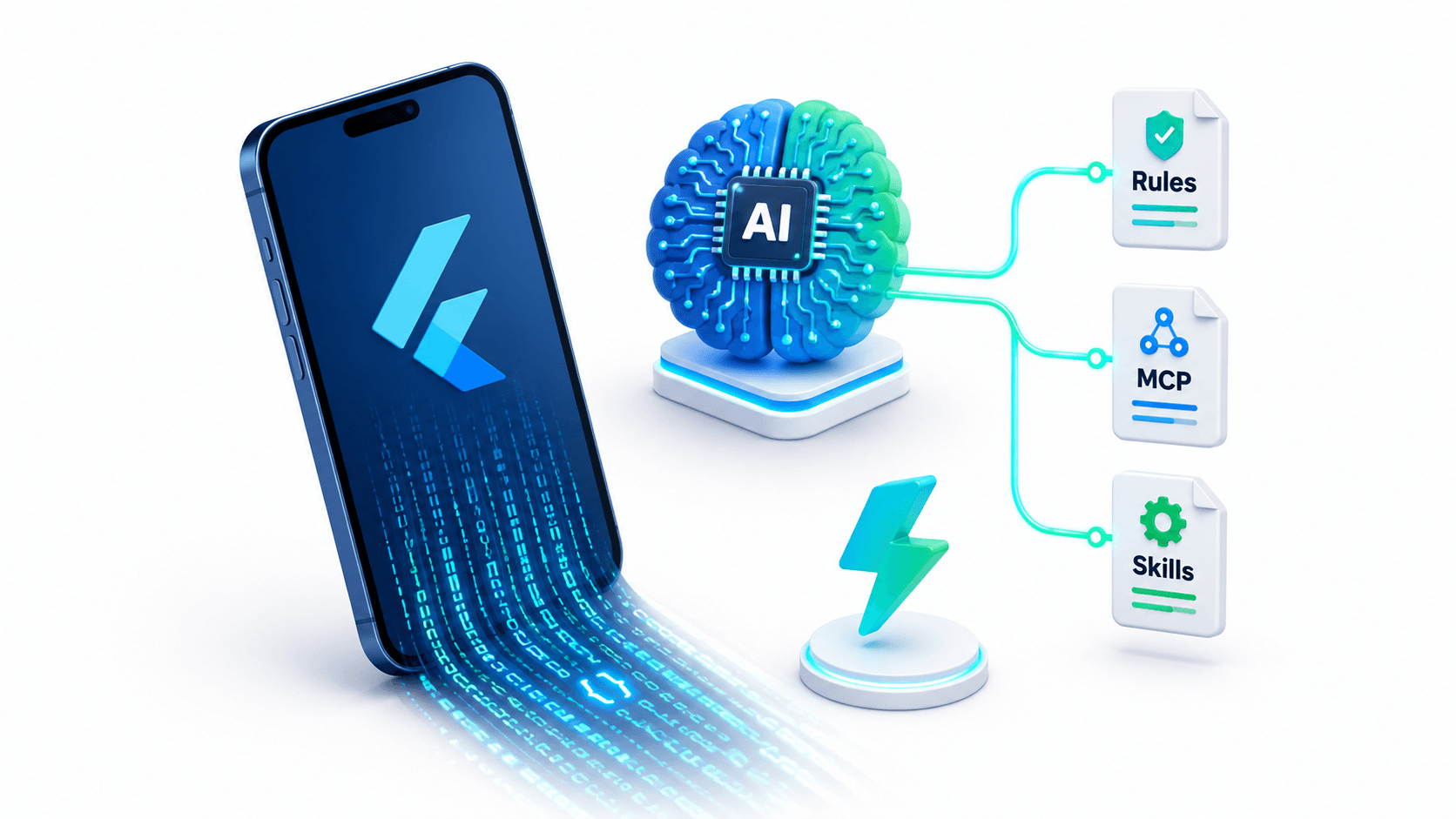
This guide covers the exact configuration stack I use for AI-accelerated Flutter development: custom rules, MCP servers, skill definitions, prompt patterns, and the Flutter-specific knowledge base that makes the difference between an AI assistant that helps and one that wastes your time.
The Foundation: Flutter Official Documentation as Your Source of Truth
Before any AI configuration, establish one principle: the Flutter official documentation is the ground truth.
The Flutter documentation covers:
- Widget catalog and API reference
- State management guidance
- Performance best practices
- Platform-specific integration guides
- Testing patterns
When your AI assistant produces code that contradicts the official docs, the docs win. Configure your AI tools to prioritize official Flutter patterns over community conventions or older Stack Overflow answers.
Layer 1: Project-Level Rules
The most impactful thing you can do is write explicit rules that govern how AI generates Flutter code in your project. Rules are project-specific markdown files that AI coding tools read before generating any code.
Example .rules or AGENTS.md file for a Flutter project
# Flutter Project Rules

## Architecture
- This project uses Clean Architecture: Presentation, Domain, Data layers
- All features live in `lib/features/<feature_name>/`
- Use Riverpod (v2) for all state management - never use setState() except in truly local UI state
- Repository pattern: all remote calls go through repositories, never directly from providers
- Use Freezed for all data models and union types

## Naming Conventions
- Widgets: PascalCase (e.g., UserProfileCard)
- Providers: camelCase ending in Provider (e.g., userProfileProvider)
- Use cases: verb + noun (e.g., FetchUserProfileUseCase)
- Files: snake_case (e.g., user_profile_card.dart)

## Code Style
- Never use dynamic types - always prefer explicit type annotations
- Never use BuildContext across async gaps - check mounted before using context after await
- Always handle loading, error, and data states in UI - never show blank screens
- Use const constructors wherever possible for widget performance
- Use responsive extensions: 20.w, 14.sp, 10.h (not raw pixel values)

## Testing
- Every use case must have a corresponding unit test
- Widget tests required for all screens
- Mock all external dependencies using Mockito

## Prohibited Patterns
- No hardcoded colors (use Theme.of(context).colorScheme)
- No hardcoded strings (use ARB localization keys)
- No direct API calls from UI widgets
- No print() statements (use LoggerService)
- No nested setState() calls
Flutter-Specific Rules That Prevent Common Mistakes
## Flutter Performance Rules
- Always use ListView.builder() for lists - never ListView() with many children
- Use RepaintBoundary around expensive widgets that update independently
- Never call setState() from initState() directly - use addPostFrameCallback
- Use AutomaticKeepAliveClientMixin for tabs that should not rebuild
- Prefer const widgets to avoid unnecessary rebuilds

## Async Rules
- Always use async/await over .then() chains
- Wrap all async operations in try/catch
- Use Either<Failure, Success> pattern for repository return types
- Never ignore Future return values - always await or handle them

## Null Safety Rules
- Never use the ! bang operator without a comment explaining why it is safe
- Use the ?? operator for null coalescing, not if (x == null) checks
- Prefer late final over nullable types when initialization is guaranteed
Layer 2: MCP Servers for Flutter Development
Model Context Protocol (MCP) is a standardized way to give AI assistants access to external tools, APIs, and data sources during code generation. For Flutter development, specific MCP servers dramatically expand what the AI can do.
Flutter Docs MCP
Configure an MCP server that gives the AI real-time access to the Flutter documentation:
{
  "mcpServers": {
    "flutter-docs": {
      "command": "npx",
      "args": ["-y", "@modelcontextprotocol/server-fetch"],
      "env": {
        "BASE_URL": "https://docs.flutter.dev/"
      }
    }
  }
}
With this configured, you can ask your AI: "Check the official Flutter docs and generate a proper Hero animation implementation" - and it will fetch the actual documentation before generating code.
pub.dev MCP
Give the AI access to package search and version information:
{
  "mcpServers": {
    "pub-dev": {
      "command": "npx",
      "args": ["-y", "@modelcontextprotocol/server-fetch"],
      "env": {
        "BASE_URL": "https://pub.dev/packages/"
      }
    }
  }
}
This lets you ask: "Find the latest stable version of Riverpod and add it to pubspec.yaml" without manually checking pub.dev.
File System MCP (for codebase awareness)
{
  "mcpServers": {
    "filesystem": {
      "command": "npx",
      "args": [
        "-y",
        "@modelcontextprotocol/server-filesystem",
        "/Users/yourname/projects/your-flutter-app"
      ]
    }
  }
}
This gives the AI read access to your entire project, allowing it to understand your existing patterns before generating new code that needs to fit in.
GitHub MCP (for issue tracking and PR context)
{
  "mcpServers": {
    "github": {
      "command": "npx",
      "args": ["-y", "@modelcontextprotocol/server-github"],
      "env": {
        "GITHUB_PERSONAL_ACCESS_TOKEN": "your_token_here"
      }
    }
  }
}
Layer 3: Skills - Domain-Specific Knowledge Packs
Skills are structured knowledge files that give your AI assistant deep expertise in specific domains. For Flutter development, define skills that encode your architecture decisions and team conventions.
flutter-clean-arch skill
Reference my open-source template:
npx skills add itsmoeenahmad/flutter-clean-architecture-template --skill flutter-clean-arch
This installs a skill that teaches the AI your exact Clean Architecture structure - where files go, what each layer is responsible for, how dependency injection is wired, and what the naming conventions are.
Custom skill definition for your project
Create a SKILL.md in your project:
---
name: flutter-project-conventions
description: Conventions and patterns for this specific Flutter project
---

## Project Stack
- Flutter 3.24+ with Dart 3.5+
- State management: Riverpod v2 with code generation
- Navigation: GoRouter v14
- HTTP client: Dio with interceptors
- Local storage: Hive for preferences, Isar for complex data
- Authentication: Firebase Auth + custom backend JWT
- Responsive design: custom ResponsiveConfig (20.w, 14.sp extensions)

## Feature Structure
Every feature follows this exact structure:
lib/features/<name>/
  data/
    datasources/<name>_remote_datasource.dart
    models/<name>_model.dart (Freezed)
    repositories/<name>_repository_impl.dart
  domain/
    entities/<name>.dart (Freezed)
    repositories/<name>_repository.dart (abstract)
    usecases/<name>_usecase.dart
  presentation/
    providers/<name>_provider.dart (Riverpod)
    screens/<name>_screen.dart
    widgets/<name>_widget.dart

## Generating New Features
When asked to create a new feature, always generate all layers simultaneously.
Never create only the UI without the domain and data layers.
Layer 4: High-Yield Prompt Patterns for Flutter
The right prompt structure extracts dramatically better Flutter code from any AI tool.
Pattern 1: Context-First Prompting
Always give the AI context before the task:
I am building a Flutter app with:
- Clean Architecture (Presentation/Domain/Data)
- Riverpod v2 for state management
- GoRouter for navigation
- The user is already authenticated

Task: Create a UserProfileScreen that:
1. Loads the user profile from the UserProfileRepository
2. Shows a loading skeleton while fetching
3. Shows an error retry button on failure
4. Displays name, avatar, and email on success
This produces complete, architecturally correct code on the first try instead of generic widget boilerplate.
Pattern 2: Ask for the Full Stack
Instead of asking for just the screen:
Generate ALL layers for a new "Products" feature:
1. ProductModel (Freezed, from JSON)
2. ProductsRemoteDataSource (Dio HTTP call to /api/products)
3. ProductsRepository abstract class and implementation
4. FetchProductsUseCase
5. ProductsProvider (Riverpod AsyncNotifier)
6. ProductsScreen with grid layout, loading, and error states

Follow the project's Clean Architecture structure in lib/features/products/
Pattern 3: Specify Flutter Version and Null Safety
Generate a Widget test for ProductCard using Flutter test package.
Use Riverpod ProviderScope for provider mocking.
The code must be null-safe and use Dart 3+ patterns (records, pattern matching).
Do not use any deprecated APIs from Flutter 2.x.
Pattern 4: Refactor with Constraints
Refactor this ProductListWidget to:
1. Extract each list item into a separate ProductCard widget
2. Add const constructors to both widgets
3. Replace fixed pixel sizes with responsive extensions (20.w, 14.sp)
4. Ensure no unnecessary rebuilds (use ConsumerWidget only where state is read)

Do not change the visual design or business logic, only the code structure.
Layer 5: Flutter-Specific AI Productivity Habits
Use AI for Widget Tree Design
Describe the screen you want in natural language and let the AI generate the initial widget tree. Then refine it manually for precision:
Design a Flutter screen with:
- App bar with back button and title "Order Details"
- Scrollable body with:
  - Order status timeline (4 steps: Placed, Confirmed, Shipped, Delivered)
  - List of ordered items (image, name, quantity, price)
  - Price breakdown (subtotal, delivery, total)
  - "Track Order" button at the bottom fixed to screen
Use Material 3 widgets. No hardcoded colors.
Use AI for Boilerplate Elimination
The highest ROI use of AI in Flutter development is eliminating repetitive boilerplate:
- Freezed model generation from JSON
- Riverpod provider scaffolding
- GoRouter route definitions
- Dio interceptor setup
- Unit test mocking setup
Describe what you need and let the AI write the boilerplate. Review it for correctness. This alone saves 2-3 hours per feature.
Use AI for Code Review
Paste your widget or provider code and ask:
Review this Flutter code for:
1. Performance issues (unnecessary rebuilds, missing const, inefficient builds)
2. Null safety violations
3. Missing error handling
4. Accessibility issues (missing semantics labels)
5. Any violation of Flutter best practices per the official docs

Point out specific line numbers and explain each issue.
Use AI for Test Generation
After writing a use case or repository, paste it and ask:
Generate a complete unit test file for this FetchProductsUseCase.
- Mock ProductsRepository using Mockito
- Test: success case returns list of products
- Test: failure case returns Failure object
- Test: empty list case is handled correctly
- Use flutter_test and mockito packages
- Follow AAA pattern (Arrange, Act, Assert)
Performance and Quality Gates
Make AI a part of your quality pipeline, not just code generation:
# Add these to your CI/CD pipeline
flutter analyze           # Static analysis
flutter test              # Run all tests
dart format --set-exit-if-changed .  # Format check
dart fix --dry-run        # Show fixable issues
Ask your AI to run these checks before finalizing any generated code:
Before finalizing this code:
1. Ensure it passes flutter analyze with zero warnings
2. Ensure all imports are used
3. Add const where applicable
4. Check for any deprecated API usage
5. Verify null safety is properly handled
Conclusion
AI-accelerated Flutter development is not about letting the AI drive. It is about configuring your tools precisely enough that the AI understands your project context, your architecture decisions, and your quality standards - then delegating the right tasks.
The stack that works:
- Rules files for project-specific constraints and conventions
- MCP servers for live Flutter docs, pub.dev, and codebase access
- Skills for architecture patterns and project-specific knowledge
- Prompt patterns that always provide context before the task
The result: you spend your engineering time on the decisions that matter - architecture, UX design, performance tuning - and let the AI handle the boilerplate, test scaffolding, and repetitive layer generation that used to consume hours per feature.
Build smarter. Ship faster.
Need help setting up an AI-powered development workflow for your Flutter team? I configure AI-assisted development environments, clean architecture templates, and automated quality pipelines that dramatically accelerate mobile engineering teams. Book a meeting to supercharge your team's productivity.
Written by Moeen Ahmad, Senior Software Engineer working across mobile apps, backend systems, cloud deployments, and AI-powered products. I write about practical engineering, real project lessons, and building software that actually ships.
Interested in working together?
Let's discuss your project and explore how I can help bring it to life.