Introduction
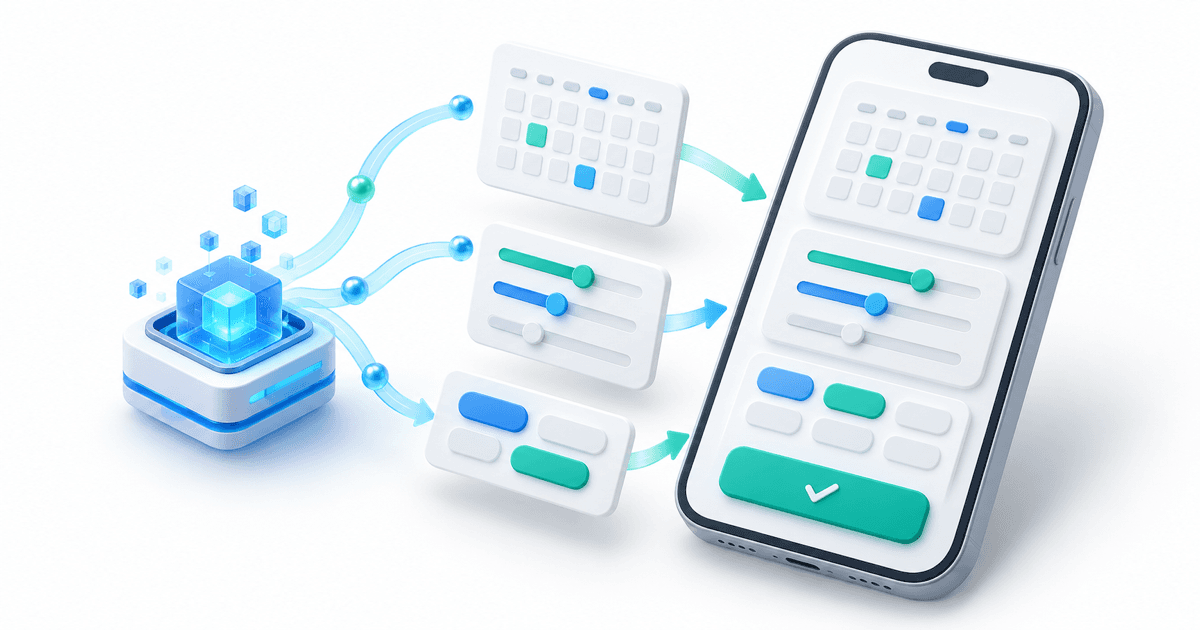
A user asks an assistant to create a reminder. A chat bubble can describe the proposed reminder, but the user still needs to check its time, change a detail, and confirm it. A small interactive card can make that task easier than another exchange of messages.
Flutter GenUI renders structured interface descriptions using a catalog of Flutter components supplied by the developer. The model can propose a useful arrangement of those components while the application retains control over available widgets and backend actions. It is not a mechanism for executing arbitrary model-generated Dart code. See the GenUI overview for the framework's purpose and current experimental status.
This guide is for Flutter developers who understand stateful widgets and asynchronous events. The local rendering example was analyzed and widget-tested with Flutter 3.47.2, Dart 3.13.2, genui 0.10.4, and a2ui_core 0.1.1. It uses a deterministic reminder fixture, so you can test the interface without a model account. Live model quality, network behavior, and device performance need separate evaluation.
GenUI is still alpha. Pin versions and prove a narrow use case before making an essential customer journey depend on it.
Choose the Interaction Before Choosing the Model
Start with a task where the next useful interface depends on the conversation. A travel assistant may ask for dates, then show itinerary choices. A support assistant may show the status of one selected order. A planning assistant may display a proposed reminder and ask for missing information.
Those are bounded tasks. “Let the model redesign the entire app” is much harder to evaluate, especially when users depend on familiar navigation, accessibility, and predictable confirmation steps.
For the reminder example, the input is “Call the supplier tomorrow.” That request does not specify a time. The interface should make the missing detail visible, offer a review action, and avoid claiming that a reminder exists already.
Define the expected behavior before integrating a provider:
| Situation | Interface behavior | Backend behavior |
|---|---|---|
| A draft lacks a time | Show the draft and request clarification | Do not schedule anything |
| The user reviews a complete draft | Open a stable review screen | Revalidate the draft and its owner |
| The user confirms | Show progress and then the saved result | Commit once and return a durable identifier |
| A model response is invalid | Offer a normal form or retry | Do not infer an action from broken output |
| Connectivity drops after confirmation | Show an unresolved status and recovery path | Resolve the original operation before repeating it |
This table is the product contract. A convincing generated card is only one part of meeting it.
Understand the Rendering Boundary
There are three separate responsibilities: proposing an interface, rendering it, and performing the operation. Keep them separate in the implementation.
A useful architecture places the model behind your backend, delivers structured UI messages to the Flutter app, and renders only components from the agreed catalog. The user's interaction can continue the conversation or open a conventional application flow. A server-side command handler decides whether a business action is authorized and valid.
The GenUI component documentation describes catalogs, surface state, and the conversation loop. In the pinned package used here, the concrete message types come from a2ui_core; Surface receives a SurfaceContext. Check package API documentation when following older tutorials, because alpha releases can change these interfaces.
For transport fundamentals, the Flutter and FastAPI streaming guide explains why cancellation, buffering, and partial responses matter. Streaming text successfully does not by itself validate a generated interface.
Build a Small Catalog First
A catalog is the set of components the renderer knows how to build. For this fixture, allow only a column, text, and a button. This deliberately excludes remote media, arbitrary links, and unrelated controls.
In a real product, prefer named components that express your domain: a reminder preview, an order status card, or an appointment choice. Give them constrained properties and stable behavior. A model should not be deciding the URL of a privileged endpoint or the permission required to invoke it.
Catalog restrictions reduce the renderer's vocabulary. They do not authorize a customer to access a record, make a date unambiguous, or prove a price is current. Those checks belong elsewhere.
Create a Flutter project and pin the packages used by the example:
flutter create genui_reminder_demo
cd genui_reminder_demo
flutter pub add genui:0.10.4 a2ui_core:0.1.1
Keep the resulting lockfile with the application. The genui package page documents the available package and its release history; upgrading an experimental dependency should include rerunning your fixtures and interaction tests.
Render a Reminder Draft Without a Model Call
Replace lib/main.dart with the following example. It creates one surface, describes its components, and listens for the button interaction. The status message is intentionally explicit: the tap requests review but saves nothing.
import 'dart:async';
import 'package:a2ui_core/a2ui_core.dart' as core;
import 'package:flutter/material.dart';
import 'package:genui/genui.dart';

const surfaceId = 'reminder-draft';
final reminderCatalog = Catalog([
  BasicCatalogItems.column,
  BasicCatalogItems.text,
  BasicCatalogItems.button,
], catalogId: 'reminder-preview-v1');

void loadDraft(SurfaceController controller) {
  controller.handleMessage(core.CreateSurfaceMessage(
    version: 'v0.9',
    surfaceId: surfaceId,
    catalogId: 'reminder-preview-v1',
  ));
  controller.handleMessage(core.UpdateComponentsMessage(
    version: 'v0.9',
    surfaceId: surfaceId,
    components: [
      {'id': 'root', 'component': 'Column', 'children': ['summary', 'review']},
      {'id': 'summary', 'component': 'Text', 'text': 'Call the supplier tomorrow. Time needs confirmation.'},
      {
        'id': 'review', 'component': 'Button', 'child': 'review-label',
        'action': {'event': {'name': 'review_reminder'}},
      },
      {'id': 'review-label', 'component': 'Text', 'text': 'Review reminder'},
    ],
  ));
}

void main() => runApp(const MaterialApp(home: ReminderPreview()));

class ReminderPreview extends StatefulWidget {
  const ReminderPreview({super.key});
  @override
  State<ReminderPreview> createState() => _ReminderPreviewState();
}

class _ReminderPreviewState extends State<ReminderPreview> {
  late final SurfaceController _controller;
  late final StreamSubscription<ChatMessage> _actions;
  bool _reviewRequested = false;

  @override
  void initState() {
    super.initState();
    _controller = SurfaceController(catalogs: [reminderCatalog]);
    _actions = _controller.onSubmit.listen((message) {
      // This fixture has one action. No reminder is saved or scheduled.
      if (message.parts.any((part) => part.isUiInteractionPart) && mounted) {
        setState(() => _reviewRequested = true);
      }
    });
    loadDraft(_controller);
  }

  @override
  Widget build(BuildContext context) => Scaffold(
    appBar: AppBar(title: const Text('Reminder draft')),
    body: SafeArea(
      child: SingleChildScrollView(
        padding: const EdgeInsets.all(24),
        child: Column(crossAxisAlignment: CrossAxisAlignment.stretch, children: [
          Surface(surfaceContext: _controller.contextFor(surfaceId)),
          if (_reviewRequested)
            const Text('Review requested. Nothing has been saved.'),
        ]),
      ),
    ),
  );

  @override
  void dispose() {
    unawaited(_actions.cancel());
    _controller.dispose();
    super.dispose();
  }
}
Run flutter run to try it in a generated Flutter project. The example uses CreateSurfaceMessage and UpdateComponentsMessage with the A2UI v0.9 message version supported by these pinned packages. The root component references two children, and the button references its label. The actual UI consists of ordinary Flutter widgets built from the catalog.
The surface controller owns the rendering state. The widget subscribes to interaction messages and releases both the subscription and controller when it is disposed. That matters when a user leaves a screen while a conversation is still active.
This fixture has one permitted action, so its listener only checks that an interaction occurred. In a multi-action application, parse the action payload into your own typed event, allowlist action names, and validate the required fields. Do not route every interaction to the same write operation.
Add the Model Connection After the Fixture Works
The deterministic fixture gives you a known result to compare against. Once it renders and behaves correctly, introduce the model connection behind an application-owned interface.
The current A2uiTransportAdapter API bridges incoming text chunks into GenUI events. The Conversation API coordinates the transport and surface controller. Your provider integration remains responsible for making the request and supplying the response stream.
I would implement the connection in this order:
- Authenticate the mobile user with your backend and assign a conversation identifier.
- Supply the model with the same catalog contract that the client supports, along with task instructions.
- Return the provider response through the transport adapter's expected framing rather than hand-parsing incomplete JSON fragments.
- Track text, UI, completion, cancellation, and error states separately in the surrounding Flutter screen.
- Bind each returned action to the current user, draft, and conversation on the backend.
The PromptBuilder API supports constructing prompts around the available interface schema. A well-described schema helps generation, but treat the resulting payload as untrusted input even when the model has followed the instructions before.
Avoid embedding a privileged model-provider key in the app. Keep model configuration and business permissions on the backend, and keep a conventional input form available if generation fails. The Flutter Clean Architecture guide explains how to keep presentation changes separate from domain rules and data access.
Make User Actions Explicit and Retry-Safe
A button labelled “Confirm” needs a precise meaning. For a reminder, the review screen should display the title, resolved date, local time, timezone, and intended delivery channel. If “tomorrow” was interpreted in a timezone the user did not expect, the user needs a chance to correct it.
The action sent to the backend should identify a draft, not contain a command that the backend blindly executes. The server loads that user's draft, checks its revision, validates its fields, and decides whether it can be committed. If the draft has changed since the card was rendered, refresh the review instead of confirming an old version.
Use an idempotency key for the confirmation attempt. Retrying the same operation should return the original result. A genuinely changed request should get a new key. Store that relationship durably with the user and operation, rather than keeping it only in a mobile variable.
If the request times out, the UI should distinguish “not saved” from “status unknown.” The second case requires checking whether the original operation completed. Creating another reminder immediately can produce a duplicate.
This behavior is independent of GenUI. The same protection is needed for a conventional form, a voice assistant, or an agent calling a tool.
Plan for Invalid and Interrupted Interfaces
Invalid messages and unsupported components
Validate message shape and catalog compatibility before treating a surface as usable. Bound the number of components, nesting, text size, and permitted resources at your application boundary. A syntactically valid payload can still be too large or unsuitable for the screen.
Do not display raw validation traces to customers. Show a short explanation and a reliable next action, such as opening the reminder form. Log a safe diagnostic identifier for investigation. Keep provider secrets, raw tokens, and unnecessary private conversation content out of logs.
Stale requests and partial streams
Associate each request with the screen and conversation that started it. If the user switches conversations, a delayed response from the old one must not replace the new screen. Cancel work when possible and reject late results when cancellation cannot stop the upstream request.
Avoid activating a consequential control while its supporting data is still incomplete. A placeholder can show that a response is arriving; it should not let the user confirm an unfinished transaction.
Accessibility and localization
Check generated combinations, not just individual catalog widgets. Long text, large accessibility text, a narrow phone, and a right-to-left locale can reveal layout problems that a default screenshot misses.
Use normal Flutter semantics and focus behavior in custom catalog components. Test with a screen reader on a device. A widget test with large text is useful evidence, but it does not establish complete accessibility. The Flutter localization guide covers the language and layout foundations.
Test the Interface Independently of Model Quality
The local example has three widget checks: initial rendering and interaction, updating an existing surface, and keeping the action reachable on a 320-by-568 logical-pixel viewport with doubled text scale. All three passed on the versions listed in the introduction, and flutter analyze reported no issues.
Here is the smallest interaction test. Change the package import to the name of your own Flutter project if you copy it:
import 'package:flutter/material.dart';
import 'package:flutter_test/flutter_test.dart';
import 'package:genui_reminder_demo/main.dart';

void main() {
  testWidgets('review does not pretend the reminder was saved', (tester) async {
    await tester.pumpWidget(const MaterialApp(home: ReminderPreview()));
    await tester.pumpAndSettle();
    expect(find.textContaining('Time needs confirmation'), findsOneWidget);
    await tester.tap(find.text('Review reminder'));
    await tester.pumpAndSettle();
    expect(find.text('Review requested. Nothing has been saved.'), findsOneWidget);
  });
}
These tests establish deterministic UI behavior. They do not measure how often a model generates the correct draft. For that, maintain a separate evaluation set with complete requests, missing dates, ambiguous times, unsupported actions, and mixed-language inputs.
Record whether each request produces a valid interface, requests needed clarification, preserves customer boundaries, and reaches the intended outcome. Also record latency, cost, abandonment, and fallback use under named test conditions. Do not report a general “accuracy” number without saying which of these outcomes it measures.
Before release, add integration tests for confirmation retries, stale drafts, sign-out during generation, and loss of connectivity. Run the actual provider flow on the devices and languages you support.
Decide Whether GenUI Improves the Product
A generated interface has to earn its place. Compare it with a conventional screen for the same task. Observe whether users complete the task with fewer corrections, understand what will happen, and can recover from errors.
A sensible pilot keeps the experiment small: one optional assistant flow, a restricted catalog, a normal form fallback, and a feature flag that can disable generation. Define the conditions for continuing before looking at the results. Those conditions should reflect your product's baseline rather than a universal percentage target.
For a stable checkout, login, or a short form with fixed fields, a conventional Flutter screen is often simpler to maintain. GenUI becomes more interesting when the conversation determines which information and controls are useful next.
Conclusion
GenUI can turn an assistant response into an interface a person can act on. A useful implementation starts with a small interaction and clear boundaries.
- Pin the experimental dependencies and test a deterministic fixture first.
- Restrict the catalog to components appropriate for the task.
- Keep authorization and final business decisions on the backend.
- Separate rendering tests from live-model evaluations.
- Preserve a predictable review screen and fallback path.
Adding an interactive AI feature to a Flutter product? I help teams plan focused pilots with clear backend boundaries and a predictable user experience. Book a meeting to discuss your feature and how to test it before expanding it.
See the project work
Explore the decisions, scope, and validation behind selected mobile and AI projects.
Explore case studies