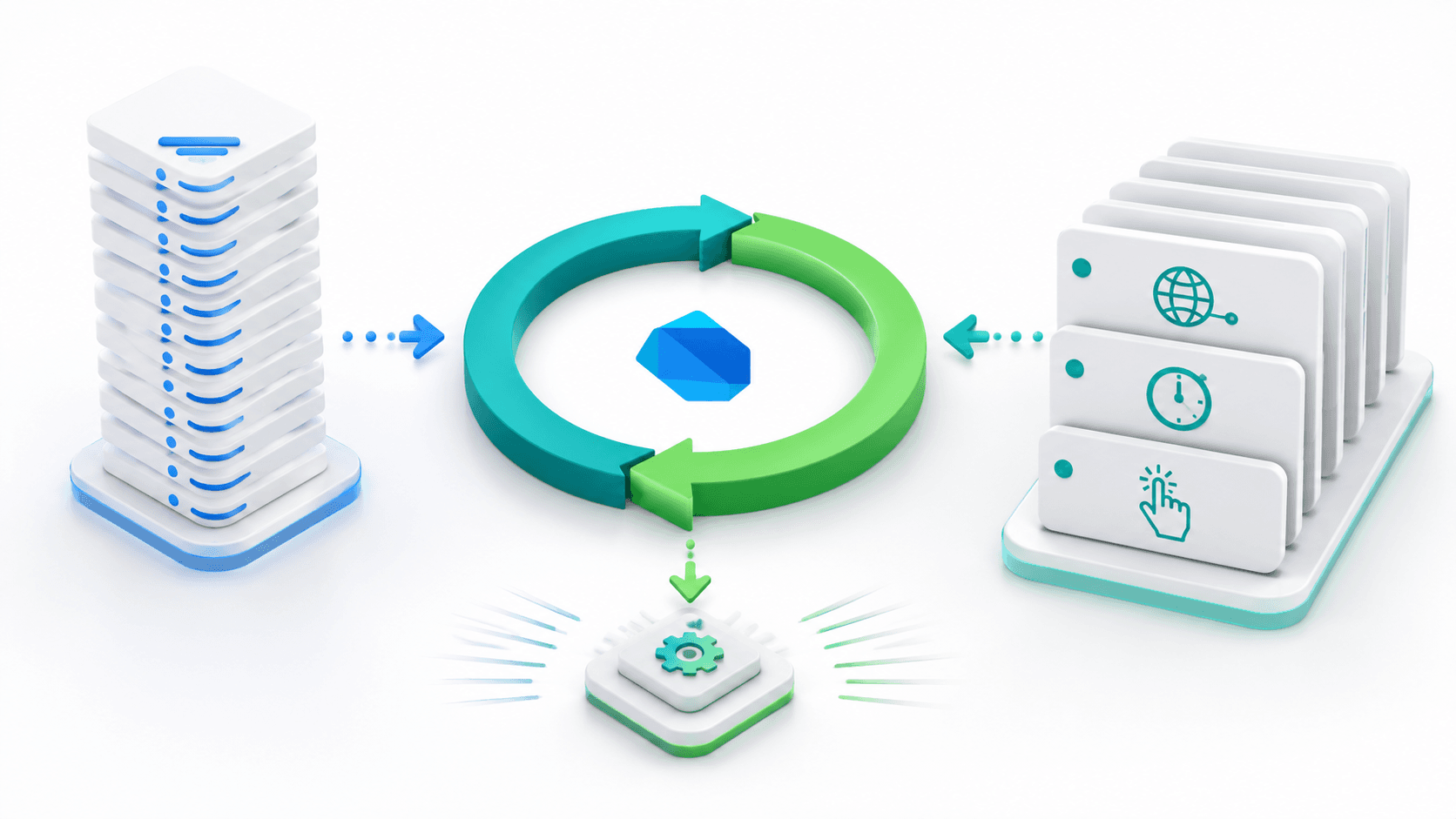
Introduction
If you have ever built a Flutter app, you have used async, await, and Future without thinking twice. But have you ever stopped and asked: how does Dart execute all of this without freezing the UI? How does Dart handle HTTP calls, timers, user gestures, and animation frames simultaneously when it only has a single thread?
The answer is the Dart Event Loop.
Understanding the Dart Event Loop is the difference between writing Flutter code that works and writing Flutter code that performs. It explains why some Future tasks complete before others, why scheduleMicrotask behaves differently from Future.delayed, and why heavy computations must be moved to an Isolate to avoid jank.
In this guide, I will break down the Dart Event Loop from first principles, walk through the two internal queues (Microtask Queue and Event Queue), show you real code examples of execution order, and help you make smarter async decisions in your Flutter apps.
Dart is Single-Threaded: What Does That Actually Mean?
Dart runs your application code on a single thread. That means at any moment in time, only one piece of Dart code is executing.
There is no parallel execution. There are no background Java/Kotlin threads running your business logic simultaneously. One thread, one call stack, one instruction at a time.
This might sound like a performance nightmare, but it is actually a deliberate design decision. A single-threaded model eliminates an entire category of bugs related to shared memory and thread synchronization (race conditions, deadlocks, mutex locks). Instead, Dart handles concurrency through an event-driven, non-blocking I/O model powered by the Event Loop.
The Dart Event Loop: The Big Picture
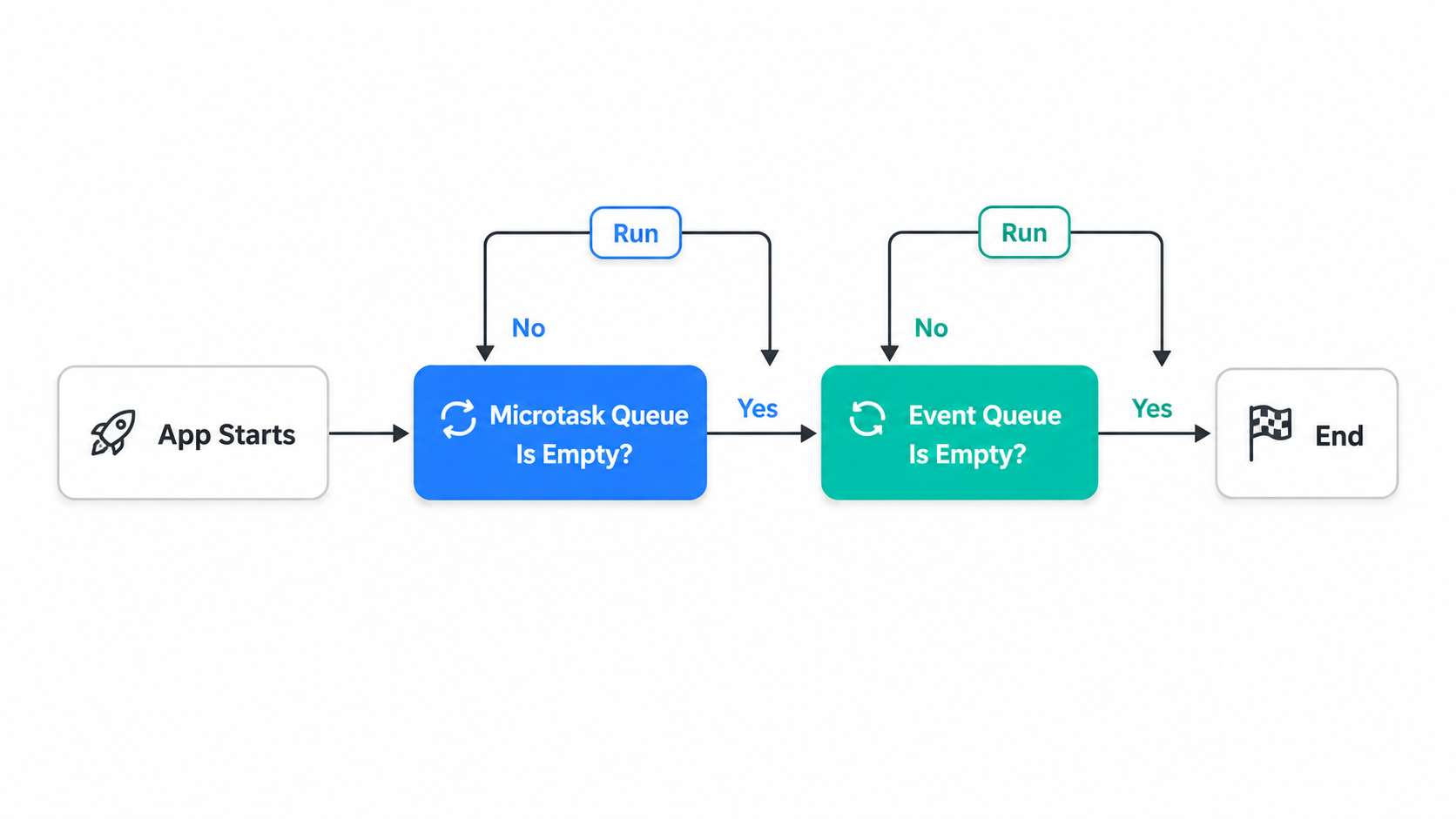
When a Dart app starts, this is exactly what happens:
- App Starts: Dart executes
main()synchronously, top to bottom. Every synchronous statement runs immediately. - Synchronous code completes: Once
main()finishes, the call stack is empty. - Event Loop kicks in: The Event Loop now takes control. It checks two queues in a strict priority order and runs tasks from them one at a time.
The Event Loop repeats a very simple cycle:
while (queues are not empty) {
  1. Run ALL tasks in the Microtask Queue first
  2. Then run ONE task from the Event Queue
  3. Repeat
}
That loop never stops until both queues are completely empty and the program exits.
The Two Queues: Microtask Queue vs Event Queue
This is the most important concept in the entire Dart concurrency model. There are two queues, and they have very different priorities.
The Microtask Queue (High Priority)
The Microtask Queue holds small, internal tasks that must complete before the Event Loop moves on to handling any external event.
What goes into the Microtask Queue:
scheduleMicrotask(() => ...)calls.then()callbacks chained on aFuturethat has already completedFuture.microtask(() => ...)calls
Key rule: The Event Loop empties the entire Microtask Queue before it picks up a single task from the Event Queue. If you keep adding microtasks inside microtasks, external events (like user taps and HTTP responses) will never get a chance to run.
The Event Queue (Lower Priority)
The Event Queue holds tasks triggered by external events. These are things coming from the outside world into your app.
What goes into the Event Queue:
Future.delayed()callbacksTimercallbacks- HTTP response callbacks (from
Dio,httppackage, etc.) - File I/O callbacks
- User input events (tap, swipe, keyboard)
- Stream events
Key rule: The Event Loop picks tasks from the Event Queue one at a time, and after each one, it checks if the Microtask Queue has new items. If it does, it drains the Microtask Queue completely before picking the next Event Queue task.
Priority Comparison Table
| Feature | Microtask Queue | Event Queue |
|---|---|---|
| Priority | Higher | Lower |
| Emptied | All items before any Event | One item at a time |
| Common Sources | scheduleMicrotask, .then() on done Future | Future.delayed, HTTP, Timers, User Input |
| Blocking risk | Yes, if overused | No |
| Use case | Post-synchronous cleanup | External async operations |
Execution Order: A Practical Code Example
The best way to understand the Event Loop is to trace through real code and predict the output. Let us do exactly that:
import 'dart:async';

void main() {
  print('1. main() starts');

  Future.delayed(Duration.zero, () {
    print('5. Future.delayed callback (Event Queue)');
  });

  scheduleMicrotask(() {
    print('3. scheduleMicrotask callback (Microtask Queue)');
  });

  Future.microtask(() {
    print('4. Future.microtask callback (Microtask Queue)');
  });

  Future.value('done').then((value) {
    print('2. Future.value .then() callback (Microtask Queue)');
  });

  print('1. main() ends (still synchronous)');
}
Output:
1. main() starts
1. main() ends (still synchronous)
2. Future.value .then() callback (Microtask Queue)
3. scheduleMicrotask callback (Microtask Queue)
4. Future.microtask callback (Microtask Queue)
5. Future.delayed callback (Event Queue)
Why this order?
- Lines 1 and
main() endsprint immediately because they are synchronous. - After
main()returns, the Microtask Queue contains items 2, 3, and 4. The Event Loop drains them all before touching the Event Queue. - Only after the Microtask Queue is completely empty does item 5 execute from the Event Queue.
How async and await Fit In
The async/await keywords in Dart are syntactic sugar that make working with Future objects look like synchronous code. But under the hood, they split your function into chunks at every await point, and those chunks are scheduled on the queues.
Future<void> fetchUserData() async {
  print('A. Before await');

  final response = await getUserFromAPI(); // yields control back to the Event Loop

  print('C. After await'); // resumes here when the Future completes
}

void main() {
  fetchUserData();
  print('B. After calling fetchUserData (still in main)');
}

// Output:
// A. Before await
// B. After calling fetchUserData (still in main)
// C. After await
When Dart hits await getUserFromAPI(), it does not block the thread. Instead, it registers a callback (in the Microtask Queue or Event Queue depending on the source) and immediately returns control back to main(). That is why B prints before C. When the HTTP response comes back later, the Event Loop picks it up and resumes execution from the await point.
This is the exact mechanism that lets Flutter keep its 60fps animation frame rendering while waiting for an API call.
Streams: The Event Queue Running Repeatedly
A Stream in Dart is essentially a sequence of values that arrives over time via the Event Queue. Every time a new item is emitted from a Stream, a task is pushed onto the Event Queue and the registered listener callback fires.
Stream<int> countStream() async* {
  for (int i = 1; i <= 3; i++) {
    await Future.delayed(Duration(seconds: 1)); // pushes to Event Queue
    yield i;
  }
}

void main() async {
  await for (final value in countStream()) {
    print('Received: $value'); // fires 3 times, 1 second apart
  }
  print('Stream complete');
}
Each yield waits for the timer callback from the Event Queue. The await for loop simply hooks into this pattern, making Stream consumption look clean and readable.
The Problem: Heavy Computation Blocks Everything
Since Dart is single-threaded and runs one task at a time, any long-running synchronous computation will block the Event Loop entirely.
// This is dangerous in Flutter - it will freeze the UI
List<int> processLargeDataset(List<int> data) {
  return data.map((item) => item * item).where((item) => item > 1000).toList();
}
If data contains millions of items, this computation runs without ever yielding to the Event Loop. During this time, Flutter cannot process animation frames, user touch events, or keyboard input. The app freezes. Users see jank or an unresponsive UI.
The Solution: Isolates
For heavy computation, Dart provides Isolates. Unlike threads in other languages, Isolates do not share memory. Each Isolate has its own heap and its own Event Loop. They communicate by passing messages (copies of data).
import 'dart:isolate';

Future<List<int>> processInBackground(List<int> data) async {
  return await Isolate.run(() {
    // This runs in a separate Isolate with its own Event Loop
    // The main UI thread is completely unaffected
    return data.map((item) => item * item).where((item) => item > 1000).toList();
  });
}
Flutter also provides a simpler API for this called compute():
import 'package:flutter/foundation.dart';

final result = await compute(processLargeDataset, myLargeData);
Use compute() or Isolate.run() whenever you have:
- JSON parsing of large API responses
- Image processing or compression
- Cryptographic operations
- Sorting or filtering large datasets
Common Mistakes and How to Avoid Them
Mistake 1: Calling await in a build() method
// WRONG - never await inside build()
@override
Widget build(BuildContext context) {
  final data = await fetchData(); // this will not even compile
  return Text(data);
}

// RIGHT - use FutureBuilder or load data in initState
@override
void initState() {
  super.initState();
  fetchData().then((data) => setState(() => _data = data));
}
Mistake 2: Forgetting that .then() is Microtask-level
When you chain .then() on a Future that has already resolved, the callback runs in the Microtask Queue, not the Event Queue. This subtlety matters when reasoning about execution order in complex async pipelines.
Mistake 3: Starving the Event Queue with Microtasks
// Dangerous - adding microtasks recursively prevents any Event Queue tasks from running
void recursiveMicrotask() {
  scheduleMicrotask(() {
    print('microtask');
    recursiveMicrotask(); // keeps adding to Microtask Queue forever
  });
}
This will starve the Event Queue entirely. HTTP responses, timers, and user touch events will never fire.
Quick Reference: What Runs Where
| Operation | Queue |
|---|---|
scheduleMicrotask() | Microtask Queue |
Future.microtask() | Microtask Queue |
.then() on a completed Future | Microtask Queue |
Future.delayed(Duration.zero) | Event Queue |
Future.delayed(Duration(seconds: 1)) | Event Queue |
Timer.run() | Event Queue |
Timer.periodic() | Event Queue (repeated) |
| HTTP response callback | Event Queue |
| Stream event | Event Queue |
| User gesture event | Event Queue |
Isolate.run() | Separate Isolate (own Event Loop) |
Conclusion
The Dart Event Loop is the invisible engine behind every Flutter app. It is the reason your app can animate at 60fps while also waiting for a REST API call. It is the reason await does not freeze the main thread. And it is the reason you need Isolates when processing large amounts of data.
The mental model is simple but powerful:
- Dart runs your code on a single thread.
- Async operations register callbacks in one of two queues.
- The Microtask Queue always drains completely before the Event Queue is touched.
- The Event Queue processes one task at a time, then checks the Microtask Queue again.
- For true parallel computation, use Isolates or
compute().
Once this model clicks in your head, async code in Dart stops being mysterious. You start predicting execution order correctly, avoiding common performance pitfalls, and writing Flutter apps that stay smooth and responsive regardless of what work is happening in the background.
Struggling with concurrency or performance bottlenecks in Flutter? I help developers optimize app performance, architecture, asynchronous flows, and heavy isolate workloads. Book a meeting to optimize your Flutter codebase.
Written by Moeen Ahmad, Senior Software Engineer working across mobile apps, backend systems, cloud deployments, and AI-powered products. I write about practical engineering, real project lessons, and building software that actually ships.
Interested in working together?
Let's discuss your project and explore how I can help bring it to life.