Introduction
Large Language Models like GPT-4 and Claude are extraordinarily capable. They can write code, explain complex topics, summarize documents, and reason through problems. But they have a fundamental limitation: their knowledge is frozen at the time they were trained.
Ask GPT-4 about events after its training cutoff, or ask it questions about your company's internal documents, your product's latest specs, or a custom knowledge base - and it will either hallucinate an answer or tell you it does not know.
RAG - Retrieval-Augmented Generation - solves this problem.
Instead of relying on the LLM's internal knowledge alone, RAG first retrieves relevant information from an external knowledge source and then provides that retrieved context to the LLM as part of the prompt. The LLM generates its answer based on the retrieved context, not from memory.
This makes RAG the most practical and widely deployed architecture for real-world AI applications: customer support chatbots, internal knowledge assistants, document Q&A systems, medical information tools, and legal research assistants.
I have built multiple production RAG systems, including the open-source RAG Backend and MamaMate AI - an agentic AI system for pregnancy support powered by LangChain, ChromaDB, and OpenAI. This guide explains exactly how RAG works under the hood.
The Core Problem RAG Solves
Without RAG:
User: "What are the return policy terms for our premium members?"
LLM:  [Hallucination risk - makes up a generic policy it does not know]
With RAG:
User:       "What are the return policy terms for our premium members?"
RAG System: [Searches company policy documents - finds "Premium members have 60-day returns"]
LLM:        "Based on your company's return policy, premium members have a 60-day return window..."
RAG grounds the LLM's response in real, verifiable source documents. Every answer can be traced back to a specific passage from your knowledge base.
How RAG Works: The Two Pipelines
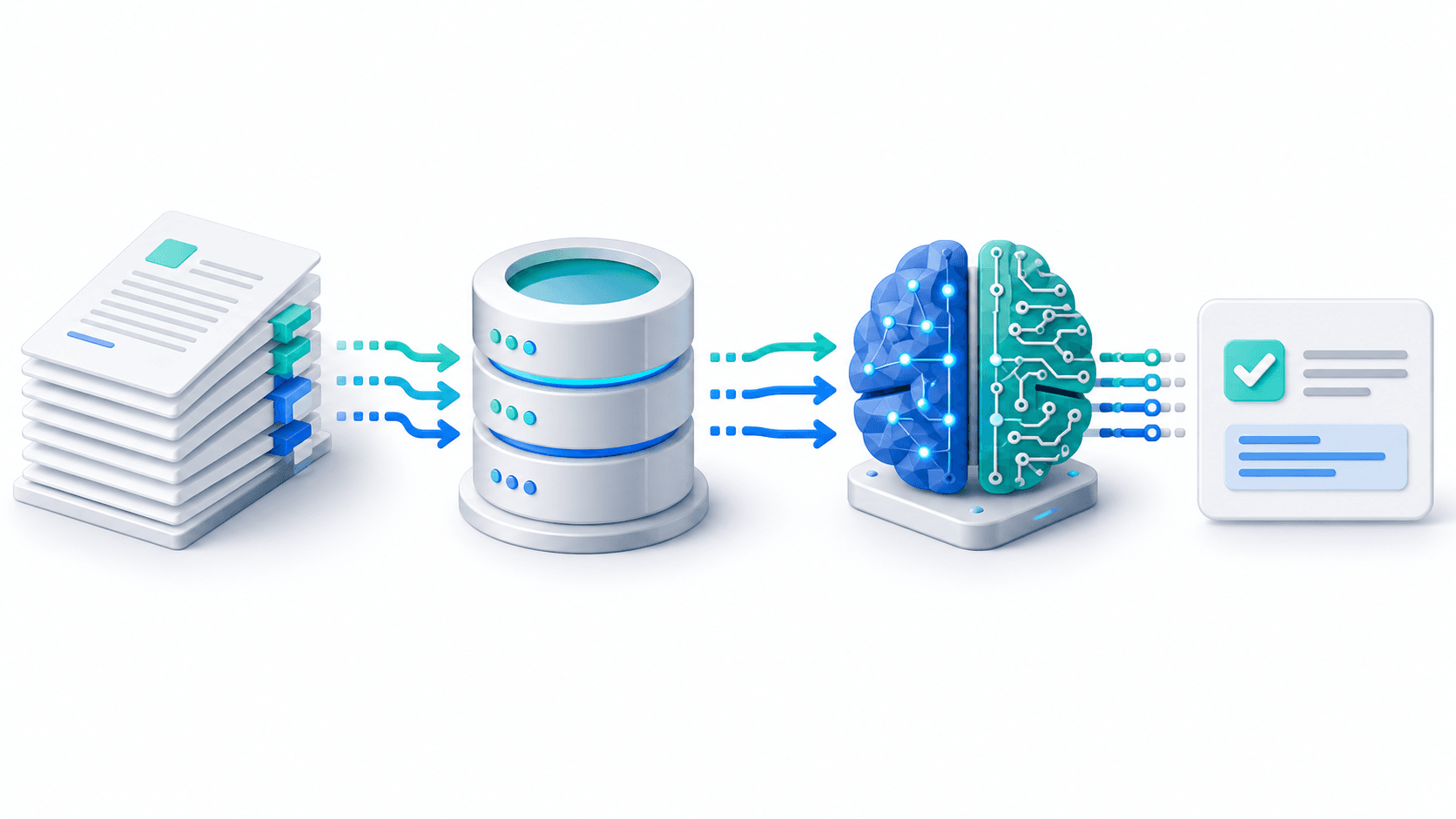
RAG has two distinct phases: Indexing (offline, runs once) and Retrieval + Generation (online, runs on every query).
For a production upload flow, indexing also needs durable jobs and recovery when a worker fails. The FastAPI document-processing guide covers that operational layer.
Pipeline 1: Indexing (Offline)
Raw Documents (PDF, Word, Web, DB)
           |
           v
Document Loader
           |
           v
Text Splitter / Chunker
(breaks docs into overlapping chunks)
           |
           v
Embedding Model
(converts each chunk into a vector)
           |
           v
Vector Database
(stores vectors + original text)
Pipeline 2: Retrieval + Generation (Online, per query)
User Query
    |
    v
Embedding Model (same model used at indexing time)
    |
    v
Vector Database Similarity Search
(finds chunks most similar to query vector)
    |
    v
Retrieved Chunks (context) + User Query
    |
    v
Prompt: "Answer this question using this context: ..."
    |
    v
LLM (GPT-4, Claude, Gemini, etc.)
    |
    v
Final Answer
Core Concept 1: Embeddings
An embedding is a numerical representation of text as a vector of floating-point numbers (typically 768 to 3072 dimensions depending on the model).
The key property: text that is semantically similar produces vectors that are geometrically close in the high-dimensional space.
from openai import OpenAI

client = OpenAI()

def get_embedding(text: str) -> list[float]:
    response = client.embeddings.create(
        model="text-embedding-3-small",  # 1536 dimensions
        input=text
    )
    return response.data[0].embedding

# Semantically similar texts produce similar vectors
vec1 = get_embedding("How do I reset my password?")
vec2 = get_embedding("I forgot my password, what should I do?")
vec3 = get_embedding("What is the weather in Paris?")

# vec1 and vec2 will be very close in vector space
# vec3 will be far from vec1 and vec2
Embeddings enable semantic search rather than keyword search. A query about "password recovery" will find documents about "account access restoration" even if the exact words do not match.
Core Concept 2: Chunking
You cannot embed an entire 200-page PDF as a single vector - it would be too averaged and lose specific details. You split documents into chunks: smaller, overlapping text segments.
from langchain_text_splitters import RecursiveCharacterTextSplitter

splitter = RecursiveCharacterTextSplitter(
    chunk_size=1000,      # Characters per chunk
    chunk_overlap=200,    # Overlap between consecutive chunks
    separators=["\n\n", "\n", ". ", " ", ""],
)

chunks = splitter.split_text(long_document_text)
print(f"Created {len(chunks)} chunks")
Chunking strategies comparison:
| Strategy | When to Use |
|---|---|
| Fixed size (RecursiveCharacterTextSplitter) | General purpose, most common |
| Semantic chunking | When paragraphs have clear boundaries |
| Sentence-based | For short, factual Q&A |
| Sliding window | When context continuity is critical |
The chunk overlap (typically 10-20% of chunk size) ensures sentences split across boundaries are still retrievable.
Core Concept 3: Vector Databases
A vector database stores high-dimensional vectors and performs fast similarity search to find the vectors closest to a query vector. The most common metric is cosine similarity - measuring the angle between two vectors.
from langchain_chroma import Chroma
from langchain_openai import OpenAIEmbeddings
from langchain_community.document_loaders import PyPDFLoader

embeddings = OpenAIEmbeddings(model="text-embedding-3-small")

loader = PyPDFLoader("company_handbook.pdf")
documents = loader.load_and_split()

# Embeddings are computed and stored automatically
vectorstore = Chroma.from_documents(
    documents=documents,
    embedding=embeddings,
    persist_directory="./chroma_db",
)

print(f"Indexed {len(documents)} document chunks")
Popular vector databases:
| Database | Type | Best For |
|---|---|---|
| ChromaDB | Embedded/hosted | Local dev, small-medium scale |
| Pinecone | Managed cloud | Production, large scale |
| Weaviate | Self-hosted/cloud | Enterprise, hybrid search |
| pgvector | PostgreSQL extension | Teams already using Postgres |
Building a Complete RAG Pipeline with LangChain
# rag_pipeline.py
from langchain_openai import ChatOpenAI, OpenAIEmbeddings
from langchain_chroma import Chroma
from langchain_community.document_loaders import DirectoryLoader, PyPDFLoader
from langchain_text_splitters import RecursiveCharacterTextSplitter
from langchain.chains import create_retrieval_chain
from langchain.chains.combine_documents import create_stuff_documents_chain
from langchain_core.prompts import ChatPromptTemplate

# STEP 1: Load documents
loader = DirectoryLoader("./documents", glob="**/*.pdf", loader_cls=PyPDFLoader)
raw_documents = loader.load()

# STEP 2: Split into chunks
splitter = RecursiveCharacterTextSplitter(chunk_size=1000, chunk_overlap=200)
chunks = splitter.split_documents(raw_documents)

# STEP 3: Embed and store
embeddings = OpenAIEmbeddings(model="text-embedding-3-small")
vectorstore = Chroma.from_documents(documents=chunks, embedding=embeddings, persist_directory="./chroma_db")

# STEP 4: Create retriever
retriever = vectorstore.as_retriever(search_type="similarity", search_kwargs={"k": 5})

# STEP 5: Define prompt
system_prompt = """You are a helpful assistant that answers questions
based strictly on the provided context documents.

If the answer is not in the context, say:
"I don't have information about that in the provided documents."

Never make up information not in the context.

Context:
{context}"""

prompt = ChatPromptTemplate.from_messages([
    ("system", system_prompt),
    ("human", "{input}"),
])

# STEP 6: Create RAG chain
llm = ChatOpenAI(model="gpt-4o-mini", temperature=0)
question_answer_chain = create_stuff_documents_chain(llm, prompt)
rag_chain = create_retrieval_chain(retriever, question_answer_chain)

# STEP 7: Query
result = rag_chain.invoke({"input": "What is the refund policy for premium members?"})
print("Answer:", result["answer"])
for doc in result["context"]:
    print(f"  Source: {doc.metadata.get('source')} page {doc.metadata.get('page')}")
Serving RAG as a FastAPI API
Once your chain is built, wrap it in a FastAPI endpoint any frontend can consume:
from fastapi import FastAPI
from pydantic import BaseModel

app = FastAPI(title="RAG API")

class QueryRequest(BaseModel):
    question: str

class QueryResponse(BaseModel):
    answer: str
    sources: list[str]

@app.post("/query", response_model=QueryResponse)
async def query_rag(request: QueryRequest):
    result = rag_chain.invoke({"input": request.question})
    sources = list({doc.metadata.get("source", "Unknown") for doc in result["context"]})
    return QueryResponse(answer=result["answer"], sources=sources)
RAG vs Fine-Tuning: When to Use Which
| Factor | RAG | Fine-Tuning |
|---|---|---|
| Knowledge update | Add documents anytime | Retrain required |
| Cost | Low (API + storage) | High (GPU training) |
| Source attribution | Built-in | No |
| Hallucination control | Strong | Moderate |
| Time to deploy | Hours | Days to weeks |
| Best for | Factual Q&A, document search | Style, tone, specialized behavior |
For 90% of business AI use cases - customer support, document Q&A, internal knowledge bases - RAG is the right choice.
Advanced RAG: Hybrid Search
Pure semantic search sometimes misses exact keyword matches. Hybrid search combines vector and keyword search:
from langchain_community.retrievers import BM25Retriever
from langchain.retrievers import EnsembleRetriever

bm25_retriever = BM25Retriever.from_documents(chunks)
bm25_retriever.k = 5

semantic_retriever = vectorstore.as_retriever(search_kwargs={"k": 5})

# 40% keyword + 60% semantic
ensemble_retriever = EnsembleRetriever(
    retrievers=[bm25_retriever, semantic_retriever],
    weights=[0.4, 0.6],
)
My Open-Source RAG Projects
RAG Backend - A production-ready RAG API backend built with LangChain, FastAPI, and ChromaDB. Clone it, point it at your documents, and you have a working RAG system in minutes.
MamaMate AI - An agentic AI system for pregnancy support using RAG over medical knowledge bases. Built with LangChain, FastAPI, ChromaDB, MongoDB, and OpenAI. A real-world example of RAG in a production AI product.
Conclusion
RAG is the practical foundation of most real-world AI applications built today. The core pipeline is straightforward: load documents, chunk them, embed them into a vector database, embed the user query the same way, retrieve the most similar chunks, and inject them into the LLM prompt.
The difference between a mediocre RAG system and an excellent one comes down to chunk size, overlap, embedding model selection, retrieval count (k), and prompt engineering.
If you want to build your own RAG system, start with the open-source RAG Backend - clone it, drop in your documents, and have a working system within an hour.
Want a custom RAG system for your business? I build production-ready RAG backends, AI chatbots, and knowledge base systems using LangChain, FastAPI, and ChromaDB. Book a meeting to discuss your AI project.
Written by Moeen Ahmad, Senior Software Engineer working across mobile apps, backend systems, cloud deployments, and AI-powered products. I write about practical engineering, real project lessons, and building software that actually ships.
Interested in working together?
Let's discuss your project and explore how I can help bring it to life.