Introduction
Every product team and software architect building an AI-powered mobile application inevitably arrives at a fundamental fork in the road: Should we run AI models directly on the user's smartphone, or should we route every inference request to a cloud backend?
This decision is never purely academic. It directly dictates your cloud infrastructure expenses, your mobile app's battery consumption, its latency profile, and whether your software functions when a user steps onto an airplane, enters an underground subway, or travels through rural areas with patchy cellular reception.
When I developed Ava Voice Assistant, exploring lightweight client-side interactions in Flutter highlighted the immense appeal of zero-latency, private, on-device computing. Conversely, when architecting KisanDostAI, Pakistan's first voice-calling AI system for farmers, relying strictly on client-side inference was completely unviable. The platform required multi-million-token agricultural knowledge graphs, live weather integrations, and multi-step agent reasoning that would have overwhelmed entry-level smartphones and drained their batteries in minutes.
In this deep architectural analysis, I will provide an objective, production-tested breakdown of on-device AI versus cloud AI. We will examine concrete inference latency, financial unit economics, international privacy compliance across the US, UK, and GCC regions, and the Hybrid AI Pattern that top engineering teams use to capture the benefits of both worlds.
Detailed Architectural Comparison
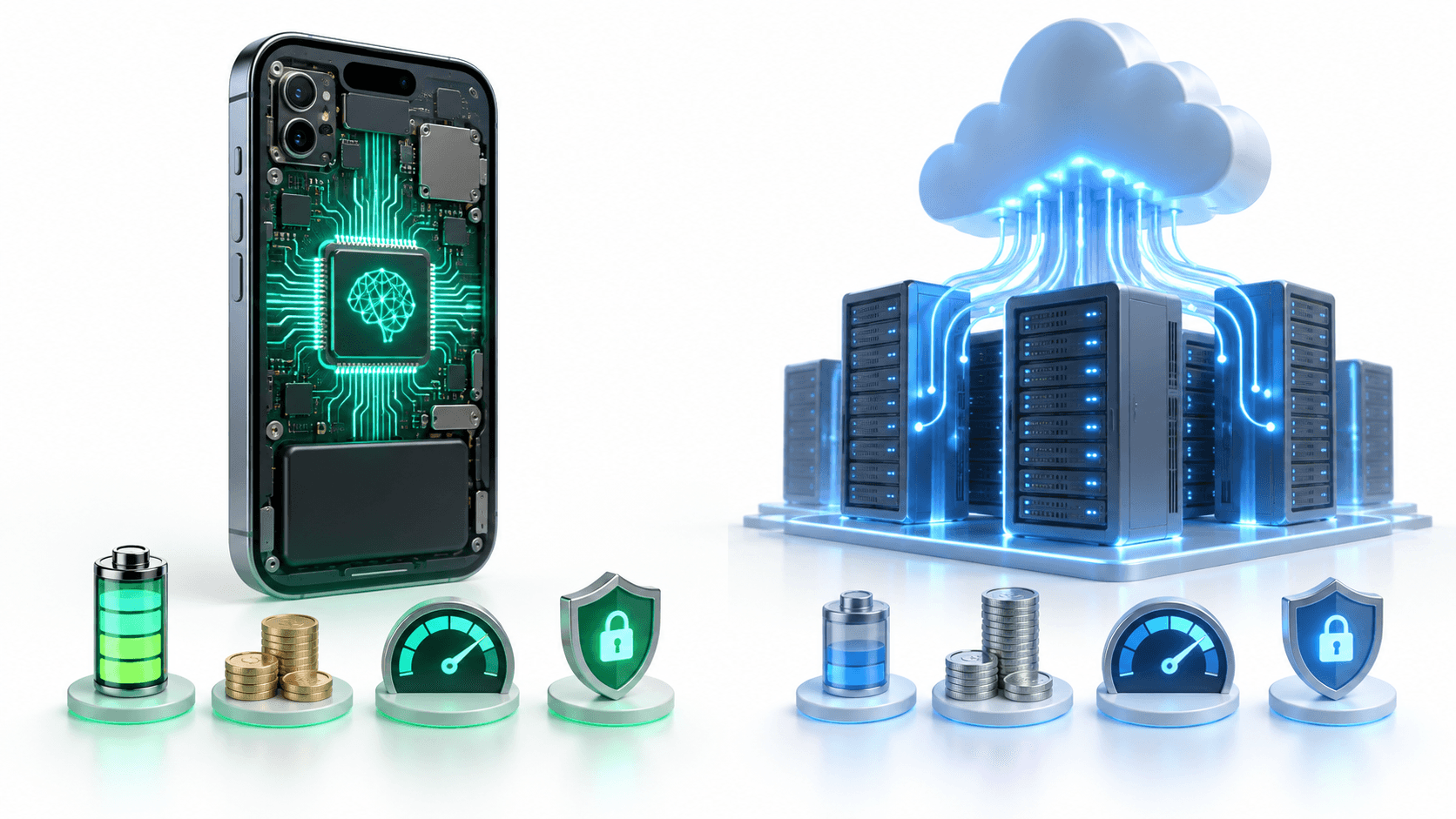
To establish an objective baseline, compare how both architectures operate across key engineering dimensions:
| Architectural Metric | On-Device AI (Local NPU / TFLite / Core ML) | Cloud AI (FastAPI / vLLM / Managed APIs) |
|---|---|---|
| Inference Latency | 15ms to 90ms (Zero network round-trip) | 350ms to 2500ms (Network transport + Queue + Generation) |
| Operational Cost | $0 per user query (Executed on client hardware) | Scales linearly with token volume or dedicated GPU clusters |
| Offline Resilience | 100% functional without internet connectivity | Completely non-functional without active data connection |
| Model Capacity | Constrained to 0.5B - 3B parameters (INT4 quantized) | Unconstrained (70B+ parameters, deep multi-agent chains) |
| Hardware Battery Impact | Consumes device CPU, GPU, and NPU; potential heat | Negligible battery drain (Standard HTTP or WebSocket socket) |
| App Bundle Size | Adds 500MB to 1.8GB to app binary download | Tiny client binary (Under 25MB total app size) |
| Data Privacy & Compliance | Data never leaves handset (Complies with GDPR / PDPL) | Requires secure transit encryption and strict data audits |
The Latency and Connectivity Profile
The most compelling technical argument for on-device AI is deterministic, zero-network execution.
When executing a model locally via Flutter platform channels or native C++ bindings using LiteRT, Core ML, or llama.cpp:
- Elimination of Network Jitter: There is no DNS resolution, no TLS handshake, and no TCP connection setup. In cellular networks, radio power-up delays alone can introduce 150ms of dead time before the first byte leaves the phone.
- Predictable Execution Cycles: Cloud APIs fluctuate wildly based on peak traffic hours, regional server outages, and cold starts. Local execution takes a predictable number of compute cycles.
- Resilience in Low-Connectivity Regions: In agricultural sectors (as seen with KisanDostAI), construction sites, or aviation, connectivity is never guaranteed. An app that relies 100% on cloud APIs becomes a dead brick the moment the connection drops.
The Hardware Fragmentation Reality
However, on-device execution introduces a severe challenge: device fragmentation.
While the latest iPhone models and flagship Android devices feature dedicated Neural Processing Units (NPUs) capable of running 3B parameter models at 35 tokens per second, millions of users in developing markets operate entry-level devices with 3GB of RAM and modest quad-core chipsets.
If your Flutter app attempts to load an unoptimized 1.2GB quantized weights file into memory on a budget handset:
- The Android Low Memory Killer (LMK) daemon will forcefully terminate your app process.
- The device will experience aggressive thermal throttling, dropping the screen refresh rate to 30 FPS.
- Users will flood your App Store and Google Play reviews with 1-star complaints about battery drain.
The Financial Reality: Cloud Token Economics
For startups and scaling digital products, unit economics dictate survival. Let us examine what happens when an application scales its user base purely on cloud AI APIs.
Financial Breakdown Across User Scales
Assume an active user generates 12 conversational interactions per day, averaging 700 tokens per interaction (prompt context + completion). That equals 8,400 tokens per user per day.
| Monthly Active Users (MAU) | Daily Token Volume | Monthly Cloud API Bill ($0.003 / 1k tokens) | Monthly Cloud Hosting (FastAPI + GPU Clusters) |
|---|---|---|---|
| 5,000 Users | 42,000,000 tokens | $3,780 / month | $1,200 / month (1x A10G instance) |
| 25,000 Users | 210,000,000 tokens | $18,900 / month | $4,800 / month (4x A10G cluster) |
| 100,000 Users | 840,000,000 tokens | $75,600 / month | $14,400 / month (Autoscaled cluster) |
| 500,000 Users | 4,200,000,000 tokens | $378,000 / month | $58,000 / month (Dedicated Kubernetes fleet) |
If your mobile app operates on a consumer subscription of $4.99 per month, your cloud AI API bills alone can cannibalize your gross margins the moment users engage enthusiastically with your features.
By offloading routine client-side tasks (intent recognition, text classification, semantic search across local notes, and sensitive data filtering) to on-device models, you eliminate 40% to 65% of outbound API requests, immediately preserving tens of thousands of dollars in monthly operating capital.
Privacy Regulations: US, UK, and GCC Compliance
In international markets, privacy regulations dictate whether your application can legally operate or if it faces crippling regulatory fines.
1. United Kingdom & European Union (GDPR)
Under the UK Data Protection Act and EU GDPR, transmitting sensitive user conversations, medical histories, or biometric data to cloud servers requires:
- Explicit, revocable user consent.
- Documented Data Protection Impact Assessments (DPIA).
- Standard Contractual Clauses (SCC) for cross-border cloud transmission.
2. Saudi Arabia (PDPL) and Oman Data Localization
In Saudi Arabia, the Personal Data Protection Law (PDPL) overseen by the Saudi Data and Artificial Intelligence Authority (SDAIA) places strict controls on cross-border data transfer. Sensitive personal data, financial identifiers, and government interactions must remain resident within Saudi territory. Similar regulations exist under Oman's Personal Data Protection legislation.
When building applications like BeesApp (a rewards platform in Saudi Arabia featuring Face ID and biometric verification), ensuring that sensitive user credentials never leave the device is a massive regulatory advantage.
On-device AI provides a zero-trust privacy guarantee: what never leaves the user's phone can never be intercepted in transit or compromised in a cloud server breach.
The Winning Strategy: The Production Hybrid Pattern
Senior engineers avoid dogmatic extremes. We do not choose purely on-device or purely cloud; we implement a Hybrid AI Architecture.
                           [User Input in Flutter App]
                                        │
                                        ▼
                   ┌─────────────────────────────────────────┐
                   │    On-Device Processing (Dart / NPU)    │
                   │  - Voice Activity Detection (VAD)       │
                   │  - Personal Identifiable Info (PII) Mask│
                   │  - Fast Complexity Classifier (15ms)    │
                   └────────────────────┬────────────────────┘
                                        │
                     Can this be resolved locally?
                     ├── YES (Simple query / Offline)
                     │    │
                     │    ▼
                     │ ┌─────────────────────────────────────┐
                     │ │ On-Device Model (LiteRT / Core ML)  │
                     │ │ - Instant response (<40ms)          │
                     │ │ - $0 Cloud cost                     │
                     │ └─────────────────────────────────────┘
                     │
                     └── NO (Complex domain / Deep RAG)
                          │
                          ▼
                       ┌─────────────────────────────────────┐
                       │ Cloud FastAPI Backend               │
                       │ - Multi-agent tool orchestration    │
                       │ - Enterprise Vector DB Knowledge    │
                       │ - High-parameter Foundation Models  │
                       └─────────────────────────────────────┘
Flutter Implementation: The Hybrid Router
Here is how to implement a clean Hybrid Router in Flutter using Clean Architecture principles:
enum QueryComplexity { simple, complex }

abstract class LocalIntelligenceService {
  Future<QueryComplexity> analyzeComplexity(String prompt);
  Future<String> executeLocalInference(String prompt);
}

abstract class CloudIntelligenceService {
  Future<String> executeCloudInference(String prompt);
}

class HybridAIRepository {
  final LocalIntelligenceService _localEngine;
  final CloudIntelligenceService _cloudEngine;
  final NetworkConnectivityChecker _connectivity;

  HybridAIRepository({
    required LocalIntelligenceService localEngine,
    required CloudIntelligenceService cloudEngine,
    required NetworkConnectivityChecker connectivity,
  })  : _localEngine = localEngine,
        _cloudEngine = cloudEngine,
        _connectivity = connectivity;

  Future<String> processQuery(String userPrompt) async {
    final hasInternet = await _connectivity.isConnected;

    // 1. If device is offline, enforce local execution
    if (!hasInternet) {
      return await _localEngine.executeLocalInference(userPrompt);
    }

    // 2. Classify query complexity locally in under 20ms
    final complexity = await _localEngine.analyzeComplexity(userPrompt);

    if (complexity == QueryComplexity.simple) {
      // 3. Resolve simple intents locally (Zero latency, $0 token cost)
      return await _localEngine.executeLocalInference(userPrompt);
    }

    // 4. Route heavy multi-step tasks to FastAPI cloud engine
    try {
      return await _cloudEngine.executeCloudInference(userPrompt);
    } catch (e) {
      // Fallback gracefully to on-device model if cloud encounters errors
      return await _localEngine.executeLocalInference(userPrompt);
    }
  }
}
Real-World Lessons from Production Deployments
Across projects like KisanDostAI, MamaMate AI, and Ava Voice Assistant, several practical lessons emerged:
- Background Isolate Isolation: In Flutter, never load on-device neural model weights on the main UI isolate. Loading model weights into memory blocks the UI thread for 400ms to 1200ms, causing noticeable frame drops. Always execute model initialization and tensor manipulation inside a background
Isolate.spawn()or usingcompute(). - Dynamic Model Delivery: Do not bundle a 1GB model inside your initial Google Play Store or Apple App Store download. Doing so cuts your app download conversion rate in half. Use Google Play Feature Delivery or Apple On-Demand Resources (ODR) to download local weights in the background after the user completes onboarding.
- Model Quantization: A FP32 (32-bit floating point) model is completely unsuited for mobile hardware. Always quantize your local models to INT8 or INT4 precision. In practice, a 4-bit quantized model retains 96% of its reasoning capability while slashing RAM consumption by 75%.
Conclusion
Choosing between on-device AI and cloud AI is not a binary decision; it is an architectural balance between cost, privacy, and reasoning depth.
For deeply grounded, multi-agent products like KisanDostAI, cloud infrastructure with FastAPI and vector databases provides the computational horsepower required for complex tasks. For real-time personal tools like Ava Voice Assistant, on-device execution delivers speed, zero marginal operating expenses, and privacy peace of mind.
By implementing a thoughtful Hybrid AI Architecture, you build mobile applications that remain responsive offline, protect user data, and scale your business profitably.
Designing an AI architecture for your mobile product or enterprise? I help founders and engineering teams build high-performance, cost-effective software across Flutter, Python, and cloud systems. Book a meeting to review your architecture.
Interested in working together?
Let's discuss your project and explore how I can help bring it to life.